
Skip to content
Ananda Technologies Pvt. Ltd.
  • PHP
  • 40% OFF

MatchSphere - Matrimonial Website with Match Score

MatchSphere is a matrimonial website PHP project with admin-verified profiles, partner preferences and a match score on every profile.

A complete final year PHP project with source code, MySQL database, Razorpay test payment, report and setup guide.

ForCSEIT

Platform
Web app
1-on-1 setup
AnyDesk / Meet
Setup time
1 Hour
Download access
8 months
  • Source code
  • Project report
  • Setup guide
1 / 5

About this project

MatchSphere is a matrimonial website PHP project for BCA, BSc and engineering students. Brides, grooms or parents create a profile, set partner preferences and see a match score on every profile. Every new profile is verified by the admin before it appears in search, and contact details stay private until an interest is accepted.

How it works

  • Member registers (legal age check: 18 for bride, 21 for groom) and completes the profile with photo
  • Admin verifies the profile, or rejects it with a reason
  • Member sets partner preferences: age, height, religion, mother tongue, marital status, education, city
  • Search results are sorted by match score (out of 100), with a tick or cross for every preference
  • Member sends an interest; the other member accepts or declines it
  • Member buys a Gold or Platinum plan (Razorpay test mode or offline demo mode) and gets a printable receipt
  • Contact details are shown only for accepted matches of paid members

Users

  • Visitor: browse verified profiles, plans, success stories, contact form
  • Member: profile, preferences, search with match score, interests, shortlist, membership, receipt
  • Admin: dashboard with charts, members, profile verification, interests log, plans, payments, enquiries, settings

Highlights

  • 29 pages (7 public, 11 member, 11 admin), 9 MySQL tables, sample data with 26 members
  • Match score with item-wise breakdown, best-match-first sorting
  • Free plan limit of 5 interests per month, contact privacy rules
  • Razorpay test mode + demo mode (works offline), printable A4 receipt
  • Validations on every form (browser + server), CSRF tokens, prepared statements, bcrypt passwords
  • AJAX shortlist, CSS charts, responsive Bootstrap 5 design
  • Demo logins: admin / admin123, rahul@gmail.com / 123456, priya@gmail.com / 123456

What you get

  • Complete PHP source code with SQL file and sample data
  • Project report (57 pages, 8 diagrams), abstract, project explanation with viva Q&A, setup guide (all PDF)
  • Screenshots of every main page
  • README with a 10-minute demo script

Who can use this project

BCA, BSc CS / IT, MCA, Diploma students, and Engineering 2nd / 3rd year students as a micro project.

Frequently asked questions

Does it need internet? No. Bootstrap, icons and fonts are inside the project, and demo payment mode works offline. Is the payment real? No. Razorpay is used in test mode, so no real money is charged. Which software is needed? XAMPP (PHP 8 + MySQL) and any browser. Can I change the colours? Yes. All colours are CSS variables in one file (style.css).

Who can take it

Students who need a working project with source code, report and setup help for their submission.

Branches: Computer Science & Engineering (CSE), Information Technology (IT)

We make it easy for you

  • 1-on-1 session on AnyDesk or Google Meet
  • We install the full project on your laptop
  • We explain the flow, modules and database for your viva
  • Report and step-by-step setup guide included
  • WhatsApp help whenever you get stuck

What you get

Everything unlocks in My projects right after payment.

  • Source codeComplete, working source code
  • Project reportEditable report / documentation
  • Setup guideStep-by-step installation guide

Project report preview

The first 5 pages of the report that comes with this project — 56 pages in the full report. Tap a page to read it — swipe for the next page.

Included free with this project

1-on-1 setup session on AnyDesk or Google Meet

After you buy, we schedule a session at a time that suits you. Our developer installs the complete project on your own laptop, runs it with you and explains it — so you can present it with confidence.

  1. 1

    Pick a time

    We call or WhatsApp you to fix the slot

  2. 2

    We install it

    Full setup on your system over AnyDesk

  3. 3

    We explain it

    Flow, modules and database on Google Meet

Modules inside

17 working modules — each one is explained in the report.

  • Public: Home with quick search (bride / groom, age, religion, city)
  • Public: Browse verified profiles with 7 filters and pagination
  • Public: Membership plans with comparison, success stories, contact form
  • Public: Register with legal age check, duplicate email / mobile check
  • Member: Dashboard with interest tiles, top matches and profile strength
  • Member: My Profile with photo upload (personal, education, family, about)
  • Member: Partner preferences (age, height, religion, tongue, marital, education, city)
  • Member: Search matches sorted by match score, AJAX shortlist
  • Member: Profile page with match score ring and preference breakdown
  • Member: Send / accept / decline / cancel interests (free limit 5 per month)
  • Member: Contact details only for accepted matches with a paid plan
  • Member: Buy Gold / Platinum via Razorpay test mode or demo, printable receipt
  • Admin: Dashboard with stat band, monthly registrations chart, plan donut
  • Admin: All members with filters, block / unblock, member details
  • Admin: Profile verification - approve, or reject with reason
  • Admin: Interests log, membership plans (add / edit), payments with total
  • Admin: Enquiries, settings (payment mode, Razorpay test key, free limit, password)

Want an extra module or a change?

We can add the features your guide asked for. Tell us what to change and get a quote on WhatsApp.

Customise this project

Technology used

Built with
PHP 8,MySQL (XAMPP / phpMyAdmin),Bootstrap 5,JavaScript,Bootstrap Icons,CSS charts,Razorpay (test mode)
Runs as
Web app
Setup time
1 Hour with the guide
Documents
Project Abstract (2 pages),, Project Report (57 pages with architecture, DFD 0 and 1, ER, use case, activity, sequence and site map diagrams),, Project Explanation with 25 viva questions and answers,, Setup Guide - all as PDF., SQL file with sample data,, screenshots of all main pages,, README with a 10-minute demo script.

How buying works

  1. 1

    Read the free abstract

    Sign in and download it (3 per day)

  2. 2

    Pay securely

    UPI, card or net banking

  3. 3

    Download instantly

    Source code and report in My projects for 8 months

  4. 4

    1-on-1 setup session

    We install it on your laptop and explain it

How to run it

An overview — the full guide comes with the project, and we help you if anything doesn’t start.

  1. 1Install XAMPP and start Apache and MySQL.
  2. 2Copy the MatchSphere folder to C:\xampp\htdocs\php_projects\
  3. 3Open http://localhost/phpmyadmin and click Import.
  4. 4Choose MatchSphere\database\matchsphere_db.sql and click Import.
  5. 5Open http://localhost/php_projects/MatchSphere/
  6. 6Admin panel: http://localhost/php_projects/MatchSphere/admin/ (admin / admin123)
  7. 7Member login: rahul@gmail.com / 123456
  8. 8Payment works in Demo mode; for Razorpay add a rzp_test_ key in Admin > Settings.

Questions about MatchSphere

What do I get when I buy MatchSphere?

Complete source code, the database, project abstract (2 pages),, project report (57 pages with architecture, dfd 0 and 1, er, use case, activity, sequence and site map diagrams),, project explanation with 25 viva questions and answers, and help to run it on your laptop. Files unlock in your dashboard right after payment.

Can I see the abstract before buying?

Yes. Sign in and download the free abstract from this page, and check it with your guide first.

Will you help me run and explain the project?

Yes. After you buy, we schedule a 1-on-1 session on AnyDesk or Google Meet. Our developer installs the complete project on your own laptop, runs it with you and explains the flow, modules and database so you are ready for your viva.

Can the project be changed for my college?

Small changes such as adding a module or changing fields are possible. Tell us before you pay and we will confirm what we can do and the cost.

Similar projects

All PHP projects →
PHP40% OFF

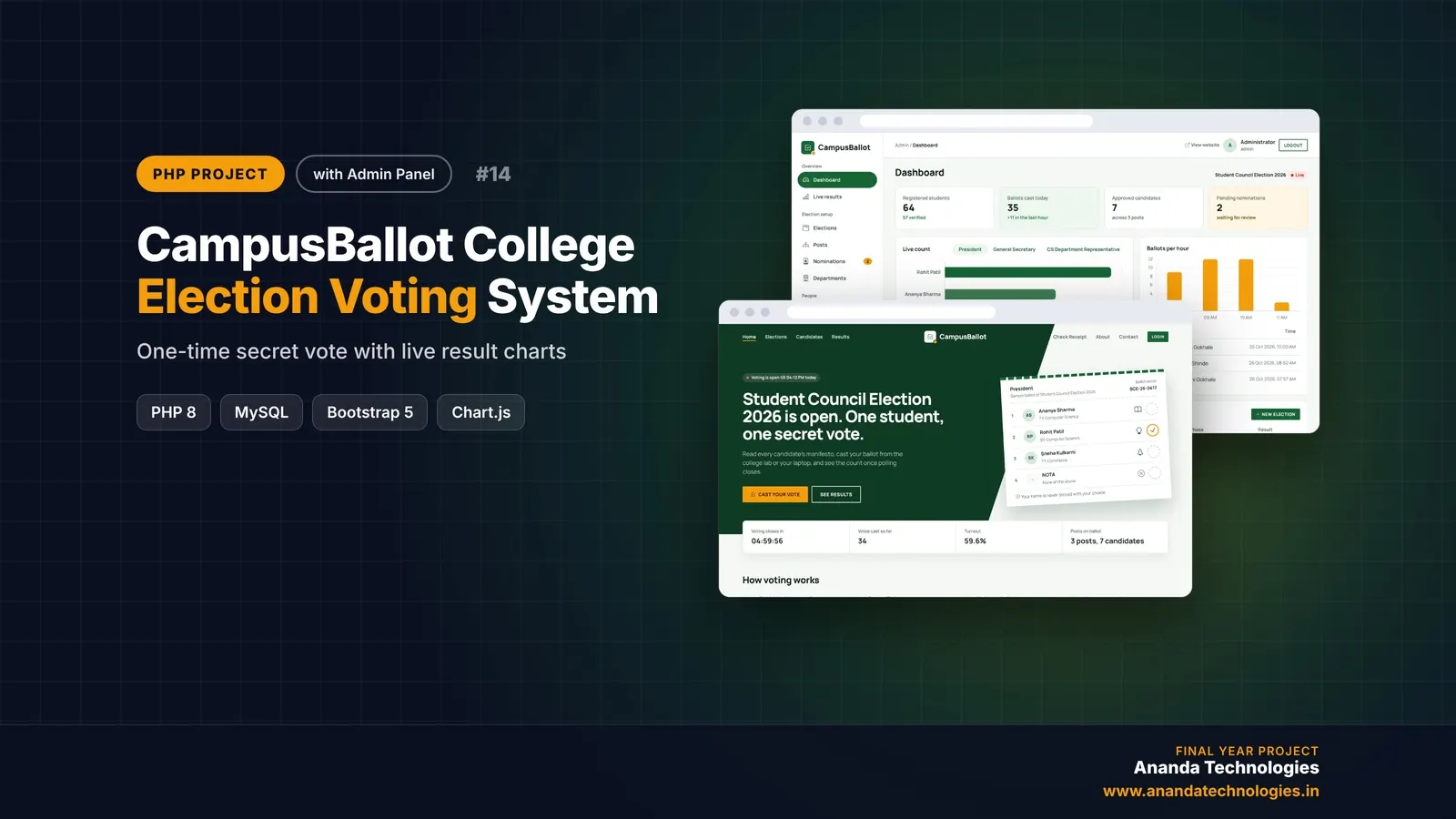
CampusBallot - College Election Voting System

CampusBallot is a college election voting system PHP project where verified students cast one secret vote per election, with NOTA, a receipt code and live result charts. A complete final year PHP project with source code, MySQL database, election officer panel, admin panel and full documentation.
Free abstract· Download₹0
Project price₹3,000₹5,000View Project
PHP40% OFF

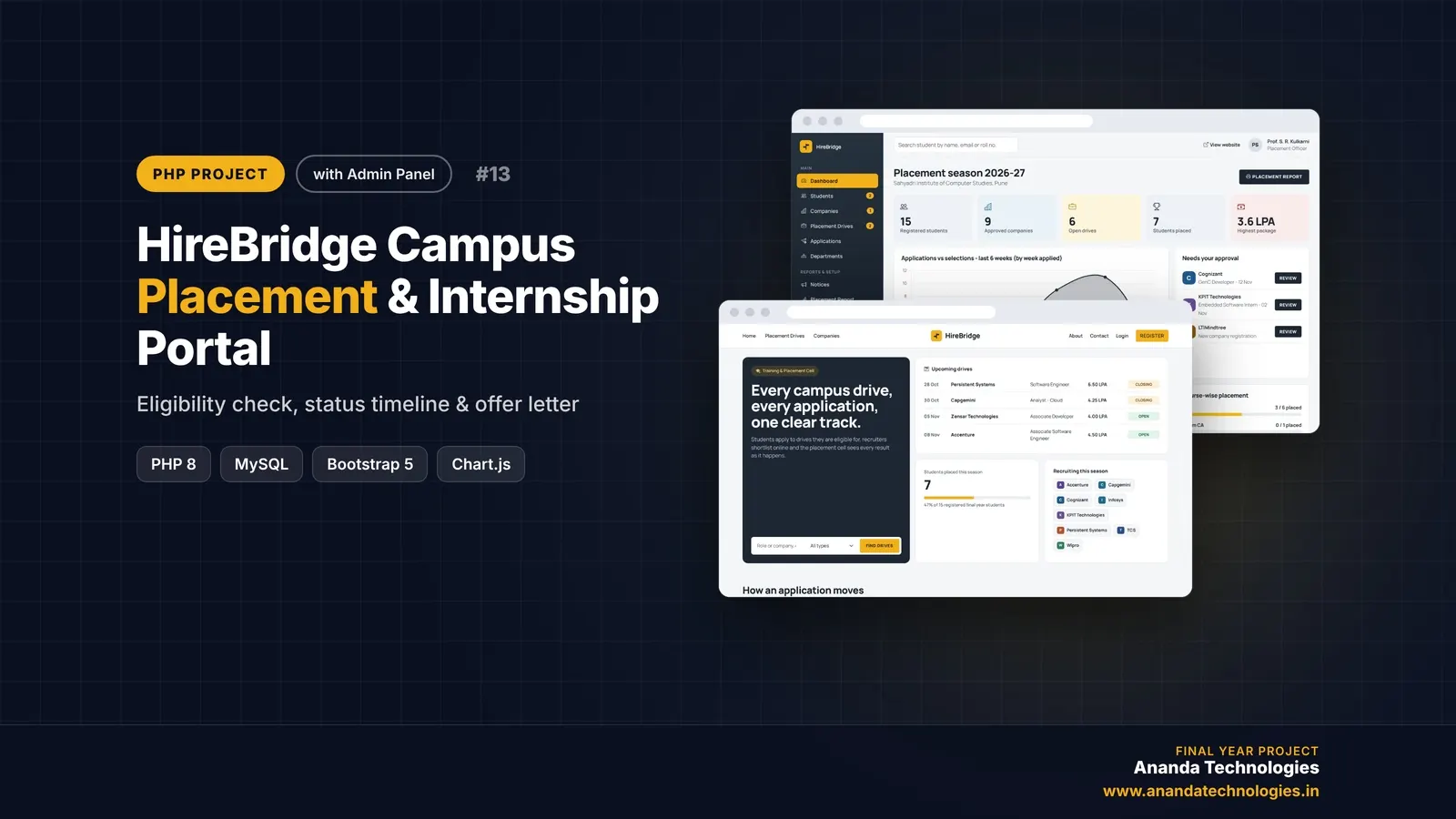
HireBridge - Campus Placement & Internship Portal

HireBridge is a campus placement portal PHP project with source code for the Training & Placement Cell of a college. Students apply only to drives they are eligible for and track every application on a status timeline, companies shortlist and interview online, and the admin approves and prints the placement report - a complete final year PHP project with source code and documentation.

Free abstract· Download₹0
Project price₹3,000₹5,000View Project
PHP40% OFF

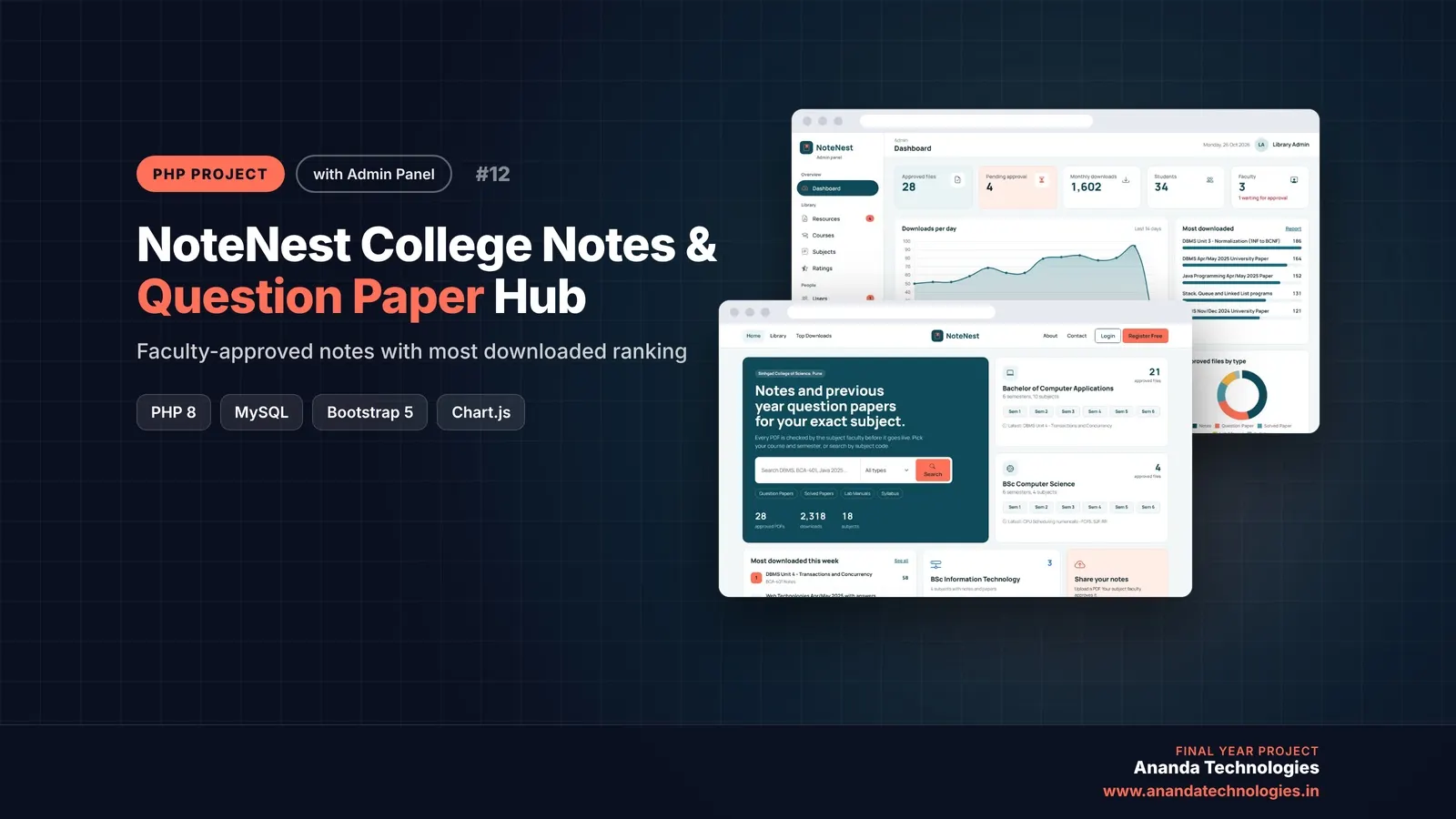
NoteNest - College Notes & Question Paper Hub

NoteNest is a notes and question paper portal PHP project where students upload notes and previous year papers, the subject faculty approves every upload, and the most downloaded files are ranked. A complete final year PHP project with source code, MySQL database, admin panel and full documentation.

Free abstract· Download₹0
Project price₹3,000₹5,000View Project
None of these fit your topic?Send your idea — we build it and share the quote first.Request custom project

Get MatchSphere for your submission

Leave your details and a counsellor will call to confirm your branch, any changes your guide needs, and how you want to pay.