Skip to content
Ananda Technologies Pvt. Ltd.
  • PHP
  • 40% OFF

CheckInn - Hotel Room Booking System

CheckInn is a hotel room booking system PHP project where guests see free rooms for every night, book without double booking, pay with Razorpay test mode and check in with a QR voucher.

A complete final year PHP project with source code, MySQL database, hotel partner panel, admin panel and full documentation.

ForCSEIT

Platform
Web app
1-on-1 setup
AnyDesk / Meet
Setup time
1 Hour
Download access
8 months
  • Source code
  • Project report
  • Setup guide
1 / 5

About this project

CheckInn is a hotel room booking system PHP project for seven Indian cities (Mumbai, Goa, Jaipur, Udaipur, Manali, Bengaluru, Pune). Guests search hotels by city and dates and see exactly how many rooms of each room type are free on every night. Bookings are made inside a database transaction with a row lock and a 15 minute payment hold, so two guests can never get the last room. Hotel owners join as partners, set weekday and weekend rates and run their front desk from a 14-night room board.

How it works

  • Guest searches city, check-in, check-out and guests; hotels show free rooms for those dates
  • Hotel page shows every room type with a 14-night colour strip (free / few left / full / closed)
  • Guest books rooms - the room type is locked, free rooms are counted again and the rooms are held for 15 minutes
  • Price uses weekday and weekend rates plus GST (5% up to Rs 7,500 per night, 18% above)
  • Guest pays with Razorpay test mode or Demo payment and gets a receipt and a QR voucher
  • Partner checks the guest in with the booking code and room number, then checks out
  • Guest can cancel before check-in (full refund 48 hours before, 50% after) and review the stay

Users

  • Guest - search, book, pay, voucher, cancel with refund, reviews, notifications
  • Hotel Partner - hotel details, room types and rates, room board and closed rooms, check-in / check-out / no show, review replies, earnings
  • Admin - hotel approval, cities, guests, partners, bookings with refund, payments, reviews, reports, notices, settings

Highlights

  • 3 user roles with separate panels and about 50 pages
  • 12 MySQL tables with sample data (14 hotels, 37 room types, 175 bookings)
  • Room availability per night with row lock (SELECT ... FOR UPDATE) and payment hold - no double booking
  • Razorpay test mode + offline Demo payment, printable receipt and QR voucher
  • Charts on admin and partner dashboards, date-wise reports with print
  • Validations on every form (client + server), prepared statements, CSRF tokens, password hashing, ownership checks
  • Tested with 82 functional test cases
  • Demo logins: admin / admin123, guest rahul@gmail.com / 123456, partner vikram@seabreeze.in / 123456

What you get

  • Complete PHP source code and SQL file with sample data
  • Project report (55 pages) with 8 diagrams, abstract, explanation with viva questions and setup guide (PDF)
  • Screenshots and README with a 10-minute demo script

Who can use this project

BCA, BSc CS / IT, MCA and Diploma final year students, and BE / B.Tech students for a micro project or mini project.

Frequently asked questions

Does it work without internet? Yes. All libraries are inside the project and Demo payment works offline; internet is needed only for Razorpay test mode.

Is Razorpay real payment? No. It uses Razorpay test mode for academic demo - no real money is taken.

Which software is needed? XAMPP (PHP 8 + MySQL / MariaDB) and any modern browser.

Can three students present it? Yes. The README and documents include a work split and three demo stages.

Who can take it

Students who need a working project with source code, report and setup help for their submission.

Branches: Computer Science & Engineering (CSE), Information Technology (IT)

We make it easy for you

  • 1-on-1 session on AnyDesk or Google Meet
  • We install the full project on your laptop
  • We explain the flow, modules and database for your viva
  • Report and step-by-step setup guide included
  • WhatsApp help whenever you get stuck

What you get

Everything unlocks in My projects right after payment.

  • Source codeComplete, working source code
  • Project reportEditable report / documentation
  • Setup guideStep-by-step installation guide

Project report preview

The first 5 pages of the report that comes with this project — 55 pages in the full report. Tap a page to read it — swipe for the next page.

Included free with this project

1-on-1 setup session on AnyDesk or Google Meet

After you buy, we schedule a session at a time that suits you. Our developer installs the complete project on your own laptop, runs it with you and explains it — so you can present it with confidence.

  1. 1

    Pick a time

    We call or WhatsApp you to fix the slot

  2. 2

    We install it

    Full setup on your system over AnyDesk

  3. 3

    We explain it

    Flow, modules and database on Google Meet

Modules inside

17 working modules — each one is explained in the report.

  • Public: home with city + dates search and live free-room key card
  • Public: hotels list with city, dates, stars, price and amenity filters
  • Public: hotel page with free rooms per room type and 14-night availability strip
  • Public: cities, about, contact form, login, register as guest or hotel partner
  • Guest: dashboard with next stay key card and payment-pending alert
  • Guest: book rooms with live price (weekend rate + GST) and 15 minute hold
  • Guest: Razorpay test / Demo payment, printable receipt, QR voucher
  • Guest: my bookings with timeline, cancel with automatic refund, payments
  • Guest: reviews after check-out, notifications, profile, change password
  • Partner: dashboard with arrivals, occupancy, room board and earnings chart
  • Partner: room board with closed rooms (booked rooms cannot be closed)
  • Partner: check-in with booking code + room numbers, check-out, no show
  • Partner: room types with weekday / weekend rates, hotel details, review replies, earnings
  • Admin: dashboard with revenue chart and bookings by city
  • Admin: hotel approval checklist, cities, guests, partners (block / unblock)
  • Admin: bookings with full-refund cancel, payments, review moderation
  • Admin: reports with date filter and print, enquiries, notices, settings

Want an extra module or a change?

We can add the features your guide asked for. Tell us what to change and get a quote on WhatsApp.

Customise this project

Technology used

Built with
PHP 8,MySQL (XAMPP / phpMyAdmin),Bootstrap 5,JavaScript,Chart.js,qrcode.js,Razorpay test mode
Runs as
Web app
Setup time
1 Hour with the guide
Documents
Project Abstract (2 pages) - PDF, Project Report (55 pages) with 8 diagrams: architecture, DFD 0, DFD 1, ER, use case, activity, sequence, site map - PDF, Project Explanation with flow, folder structure and viva questions - PDF, Setup Guide (XAMPP, import, logins, Razorpay test keys, common errors) - PDF, SQL file with sample data, Screenshots of all main pages, README with default logins, 3-student work split and 10-minute demo script

How buying works

  1. 1

    Read the free abstract

    Sign in and download it (3 per day)

  2. 2

    Pay securely

    UPI, card or net banking

  3. 3

    Download instantly

    Source code and report in My projects for 8 months

  4. 4

    1-on-1 setup session

    We install it on your laptop and explain it

How to run it

An overview — the full guide comes with the project, and we help you if anything doesn’t start.

  1. 1Install XAMPP and start Apache and MySQL.
  2. 2Extract the ZIP and copy the CheckInn folder to C:\xampp\htdocs\php_projects\
  3. 3Open http://localhost/phpmyadmin and click Import.
  4. 4Choose CheckInn\database\checkinn_db.sql and click Import (database checkinn_db is created).
  5. 5Open http://localhost/php_projects/CheckInn/ in the browser.
  6. 6Admin panel: http://localhost/php_projects/CheckInn/admin/ (admin / admin123).
  7. 7Guest login: rahul@gmail.com / 123456; partner login: vikram@seabreeze.in / 123456.
  8. 8Payment runs in Demo mode; for Razorpay test mode add your rzp_test_ key in Admin > Settings.

Questions about CheckInn

What do I get when I buy CheckInn?

Complete source code, the database, project abstract (2 pages) - pdf, project report (55 pages) with 8 diagrams: architecture, dfd 0, dfd 1, er, use case, activity, sequence, site map - pdf, project explanation with flow, folder structure and viva questions - pdf and help to run it on your laptop. Files unlock in your dashboard right after payment.

Can I see the abstract before buying?

Yes. Sign in and download the free abstract from this page, and check it with your guide first.

Will you help me run and explain the project?

Yes. After you buy, we schedule a 1-on-1 session on AnyDesk or Google Meet. Our developer installs the complete project on your own laptop, runs it with you and explains the flow, modules and database so you are ready for your viva.

Can the project be changed for my college?

Small changes such as adding a module or changing fields are possible. Tell us before you pay and we will confirm what we can do and the cost.

Similar projects

All PHP projects →
PHP40% OFF

GarageGo - Bike & Car Service Booking System

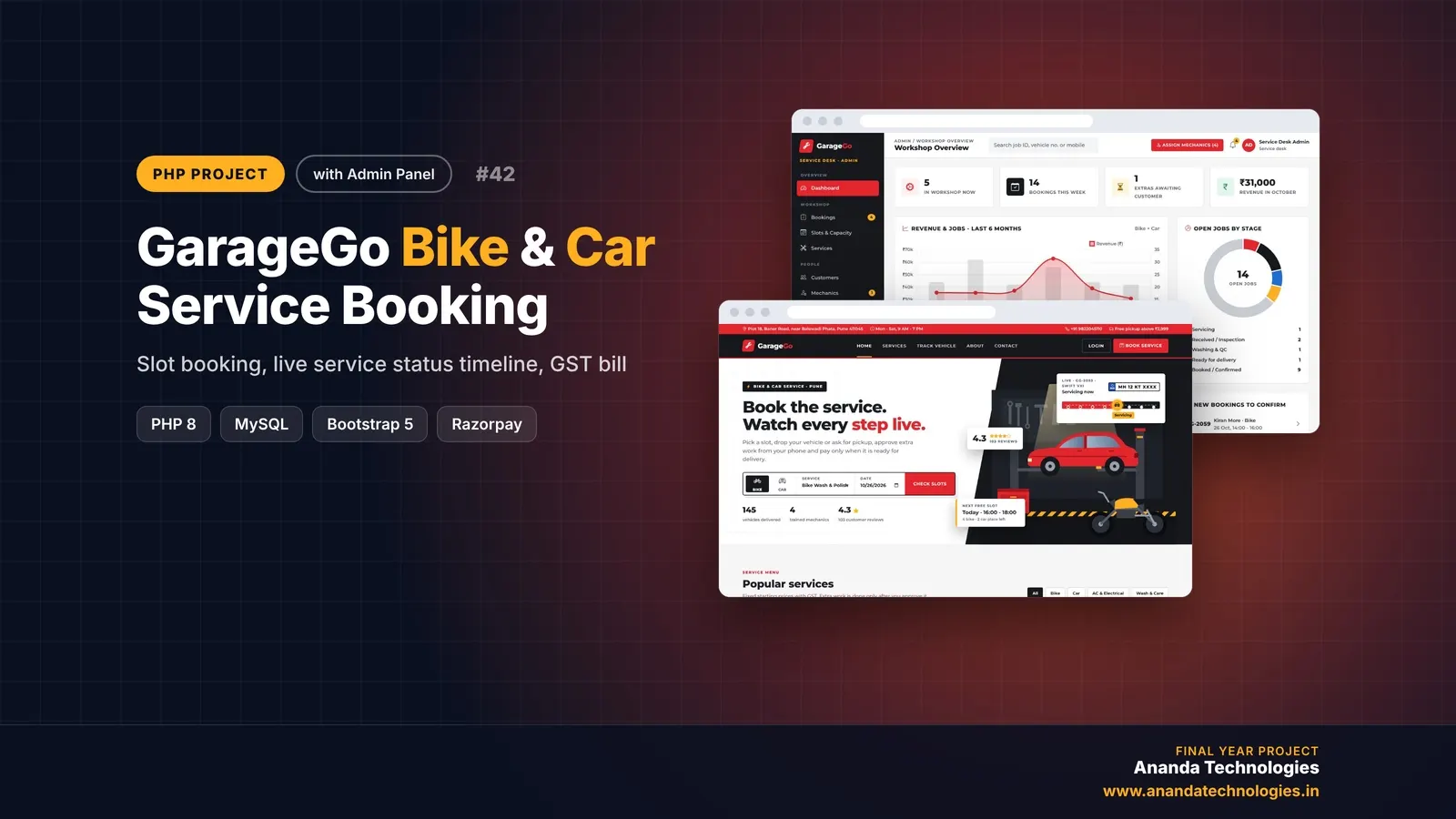
GarageGo is a bike and car service booking system PHP project where customers book 2-hour service slots, follow their vehicle on a live 8-step status timeline and approve extra parts before they are fitted. A complete final year PHP project with source code, MySQL database, mechanic and admin panels, GST invoice and full documentation.

Free abstract· Download₹0
Project price₹3,000₹5,000View Project
None of these fit your topic?Send your idea — we build it and share the quote first.Request custom project

Get CheckInn for your submission

Leave your details and a counsellor will call to confirm your branch, any changes your guide needs, and how you want to pay.