Skip to content
  • AI & ML
  • Java
  • Android
  • 33% OFF

AI-based Smart Travel Itinerary Planner

AI-based Smart Travel Itinerary Planner is an AI travel itinerary planner Android project for final year students, with full source code. A traveller enters destination, days, budget and interests, and Google Gemini builds a day-wise plan with timings, cost and a map route, while local guides accept bookings from the same app. Includes a PHP admin panel, MySQL database, project report and setup guide.

ForDiplomaMCAB.Tech· CSE, IT

Platform
Android + Web API
1-on-1 setup
AnyDesk / Meet
Setup time
2 Hour
Download access
8 months
  • Source code
  • Project report
  • Setup guide

About this project

About the project

Planning a short trip usually means opening ten tabs: what to see, how far places are, when they open, where to eat and whether it fits the budget. This AI travel itinerary planner Android project turns that into one screen. The traveller picks a city and a few preferences, and the app returns a ready day-by-day plan built only from verified places in the database, so the AI never invents a fort or a beach that does not exist. Local guides of that city can be booked from the plan itself, and every rupee spent on the trip is tracked against the planned budget.

How it works

  • Admin adds destinations, places (timings, entry fee, category, location) and the Gemini API key from the web panel.
  • The traveller selects destination, number of days, start date, budget, travel style and interests (heritage, beaches, food, nature, shopping).
  • Gemini AI plans the trip only from the places of that city; the reply is checked in the app (valid places, timings, no overlap) before it is shown.
  • No internet AI? The offline planner still makes a plan: interest score, nearest-neighbour route, opening hours and a lunch break.
  • The itinerary is an editable timeline: change time, remove or add stops, save the trip, share it, or keep an offline copy on the phone.
  • Trip map shows day-wise markers and the route, with one tap to open it in Google Maps.
  • Budget tracker compares planned vs spent per category and warns before the budget is crossed.

Users

  • Traveller (Android app) - AI trip planner, saved trips, map, budget tracker, explore places, guide booking, reviews, notifications
  • Local Guide (Android app) - booking requests (accept / reject / complete), place suggestions for the admin, profile
  • Admin (Web panel) - destinations, places, guide and place approval, travellers, trips, bookings, reviews, reports, settings

Highlights

  • 3 roles, 22 app screens, 12 admin pages, 28 APIs, 11 database tables
  • AI plan with a rule-checked reply + a full offline planner, so the demo works even without an API key
  • Haversine distance, opening hours and lunch slot handled while ordering the day
  • Validations on every form (email, 10-digit mobile, password, budget range, future dates, duplicates) in app and server
  • Hashed passwords, token based APIs and prepared statements
  • Sample data for 6 Indian destinations (Jaipur, Goa, Manali, Mumbai, Udaipur, Munnar) and demo logins

What you get

  • Complete Android Studio project (Java) and PHP admin panel with APIs
  • MySQL database file with destinations, places, guides and sample trips
  • Project report (Word, 70+ pages) with DFD, ER, UML diagrams, algorithms and test cases
  • 2-page project abstract, project explanation with viva questions, setup guide
  • Admin panel screenshots, app mockups and README
  • Setup help to run the project on your laptop

Who can use this project

Final year and pre-final year students of BE / B.Tech, MCA, BCA and Diploma (Computer Engineering, CSE, IT) who want a trip planner app project with real AI and maps instead of a plain booking app. It is a good choice for anyone searching for a Gemini AI Android project or a Google Maps Android project that comes with documentation.

Frequently asked questions

Is a paid Google Maps or Gemini key required? No. A free Gemini key enables AI plans; without it the offline planner works. Without a Maps key the map screen shows the stop list and opens the route in the Google Maps app.

Can I add my own city and places? Yes. Add a destination and its places from the admin panel; the planner uses them immediately, no code change needed.

How does the app decide the order of places in a day? It scores places by the

Who can take it

  • Diploma (Polytechnic) · best fit
  • MCA · best fit
  • BE / B.Tech · best fit

Branches: Computer Science & Engineering (CSE), Information Technology (IT)

We make it easy for you

  • 1-on-1 session on AnyDesk or Google Meet
  • We install the full project on your laptop
  • We explain the flow, modules and database for your viva
  • Report and step-by-step setup guide included
  • WhatsApp help whenever you get stuck

What you get

Everything unlocks in My projects right after payment.

  • Source codeComplete, working source code
  • Project reportEditable report / documentation
  • Setup guideStep-by-step installation guide

Included free with this project

1-on-1 setup session on AnyDesk or Google Meet

After you buy, we schedule a session at a time that suits you. Our developer installs the complete project on your own laptop, runs it with you and explains it — so you can present it with confidence.

  1. 1

    Pick a time

    We call or WhatsApp you to fix the slot

  2. 2

    We install it

    Full setup on your system over AnyDesk

  3. 3

    We explain it

    Flow, modules and database on Google Meet

Modules inside

18 working modules — each one is explained in the report.

  • Traveller and local guide registration and login with role selection
  • AI trip planner: destination, days, budget, travel style and interests (Google Gemini)
  • Day-wise itinerary with timings, entry cost and estimated trip cost
  • Offline planner when AI is not available (interest score, nearest place, opening hours, lunch)
  • Editable itinerary timeline - change time, add or remove stops
  • Save trip, share plan and offline copy on the phone
  • My Trips with status (planned / ongoing / completed) and visited stops
  • Trip map with day-wise markers and route, open in Google Maps
  • Budget tracker - planned vs spent, category bars and over-budget alert
  • Explore places by city and category with place details
  • Local guide list, guide booking with date and request status
  • Reviews and ratings for places and guides
  • Notifications for bookings and approvals
  • Guide dashboard with booking requests (accept / reject / complete)
  • Guide place suggestions sent to admin for approval
  • Admin web panel: destinations, places, travellers, local guides, approvals
  • Trips, bookings and reviews management with printable reports
  • Gemini API key and app settings from admin panel

Technology used

Built with
Android (Java) - Android StudioVolley (API calls)PHP 8 (APIs + Admin Panel)MySQL (XAMPP / phpMyAdmin)Bootstrap 5Google Gemini API (structured JSON itinerary)Google Maps SDK for AndroidMaterial Components UI
Runs as
Android + Web API
Setup time
2 Hour with the guide
Documents
Project abstract (Word + PDF, 2 pages), Project report (Word, 70+ pages, editable), Project explanation with viva questions (Word + PDF), Installation / setup guide (Word + PDF), Database SQL file with sample data, Admin panel screenshots and app mockups, README quick start

How buying works

  1. 1

    Read the free abstract

    Sign in and download it (3 per day)

  2. 2

    Pay securely

    UPI, card or net banking

  3. 3

    Download instantly

    Source code and report in My projects for 8 months

  4. 4

    1-on-1 setup session

    We install it on your laptop and explain it

How to run it

An overview — the full guide comes with the project, and we help you if anything doesn’t start.

  1. 1Install XAMPP and start Apache and MySQL
  2. 2Copy the Web_PHP\trip_planner folder into C:\xampp\htdocs
  3. 3Open phpMyAdmin and import Database\trip_planner.sql
  4. 4Open http://localhost/trip_planner and login as admin (admin@gmail.com / admin123)
  5. 5Paste a free Gemini API key in admin Settings (optional - offline planner works without it)
  6. 6Open Android_App\SmartTripPlanner in Android Studio and wait for Gradle sync
  7. 7If asked to select Gradle JVM, click Use JVM 21
  8. 8Optional: add a Google Maps key in res\values\maps_key.xml for the in-app map
  9. 9Run the app and enter server IP 10.0.2.2 (emulator) or your computer's IPv4 (phone)
  10. 10Login with the demo traveller / guide accounts given in README

Questions about AI-based Smart Travel Itinerary Planner

What do I get when I buy AI-based Smart Travel Itinerary Planner?

Complete source code, the database, project abstract (word + pdf, 2 pages), project report (word, 70+ pages, editable), project explanation with viva questions (word + pdf) and help to run it on your laptop. Files unlock in your dashboard right after payment.

Can I see the abstract before buying?

Yes. Sign in and download the free abstract from this page, and check it with your guide first.

Will you help me run and explain the project?

Yes. After you buy, we schedule a 1-on-1 session on AnyDesk or Google Meet. Our developer installs the complete project on your own laptop, runs it with you and explains the flow, modules and database so you are ready for your viva.

Can the project be changed for my college?

Small changes such as adding a module or changing fields are possible. Tell us before you pay and we will confirm what we can do and the cost.

Which courses is AI-based Smart Travel Itinerary Planner suitable for?

It suits Diploma (Polytechnic), MCA, BE / B.Tech students from Computer Science & Engineering (CSE) and Information Technology (IT).

Similar projects

All AI & ML projects →
AI & MLJava33% OFF

Diploma (Polytechnic), MCA, BE / B.Tech

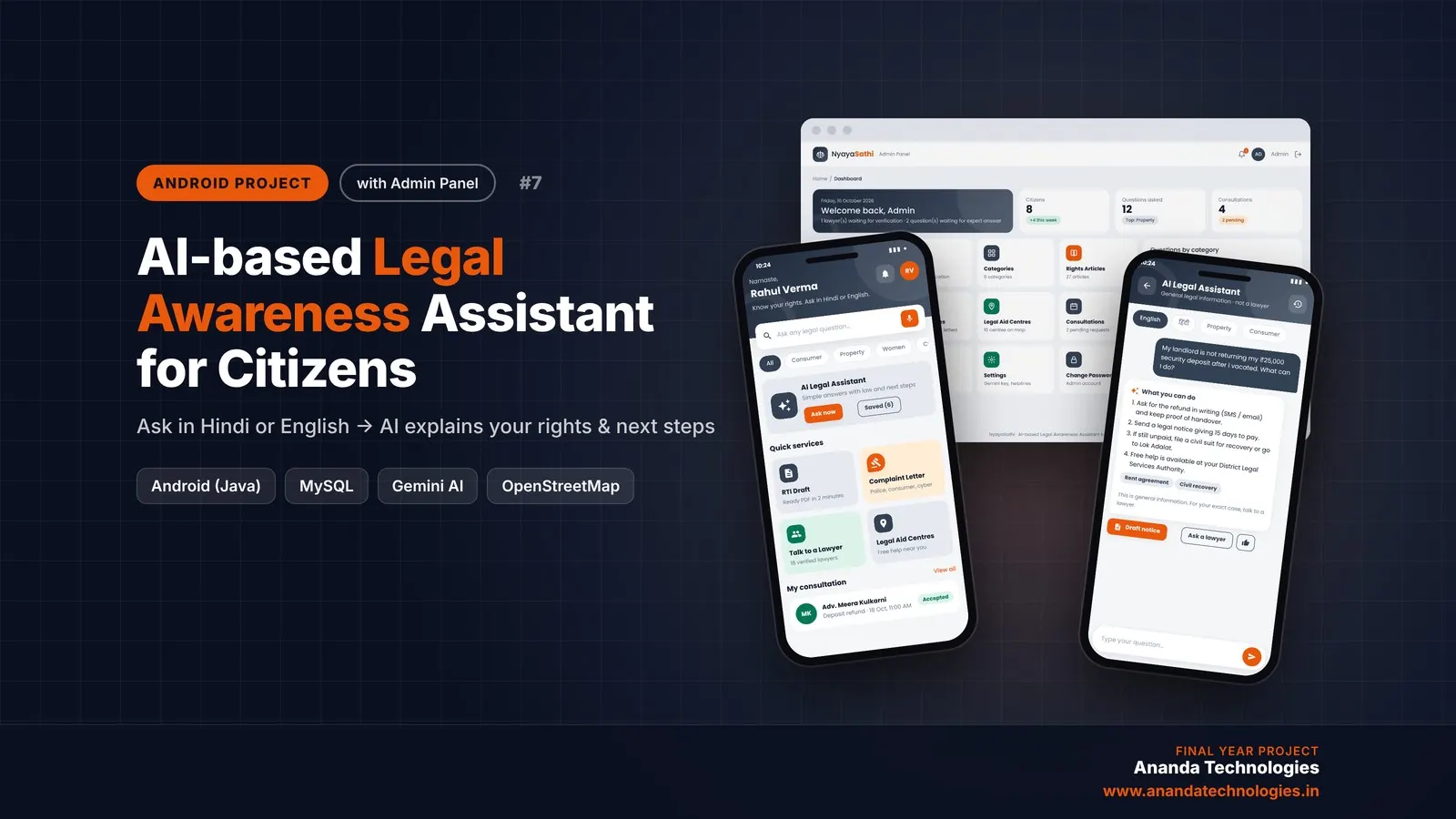
AI-based Legal Awareness Assistant for Citizens

AI-based Legal Awareness Assistant for Citizens (NyayaSathi) is an AI legal awareness Android project for final year students, with full source code. Citizens ask legal questions in simple Hindi or English and Google Gemini explains their rights with clear next steps, the app makes RTI applications and complaint letters as PDF, shows free legal aid centres on a map and connects them with verified lawyers. Comes with a PHP admin panel, MySQL database, report and setup guide.

Project price₹8,000₹12,000View Project
AI & MLJava33% OFF

Diploma (Polytechnic), MCA, BE / B.Tech

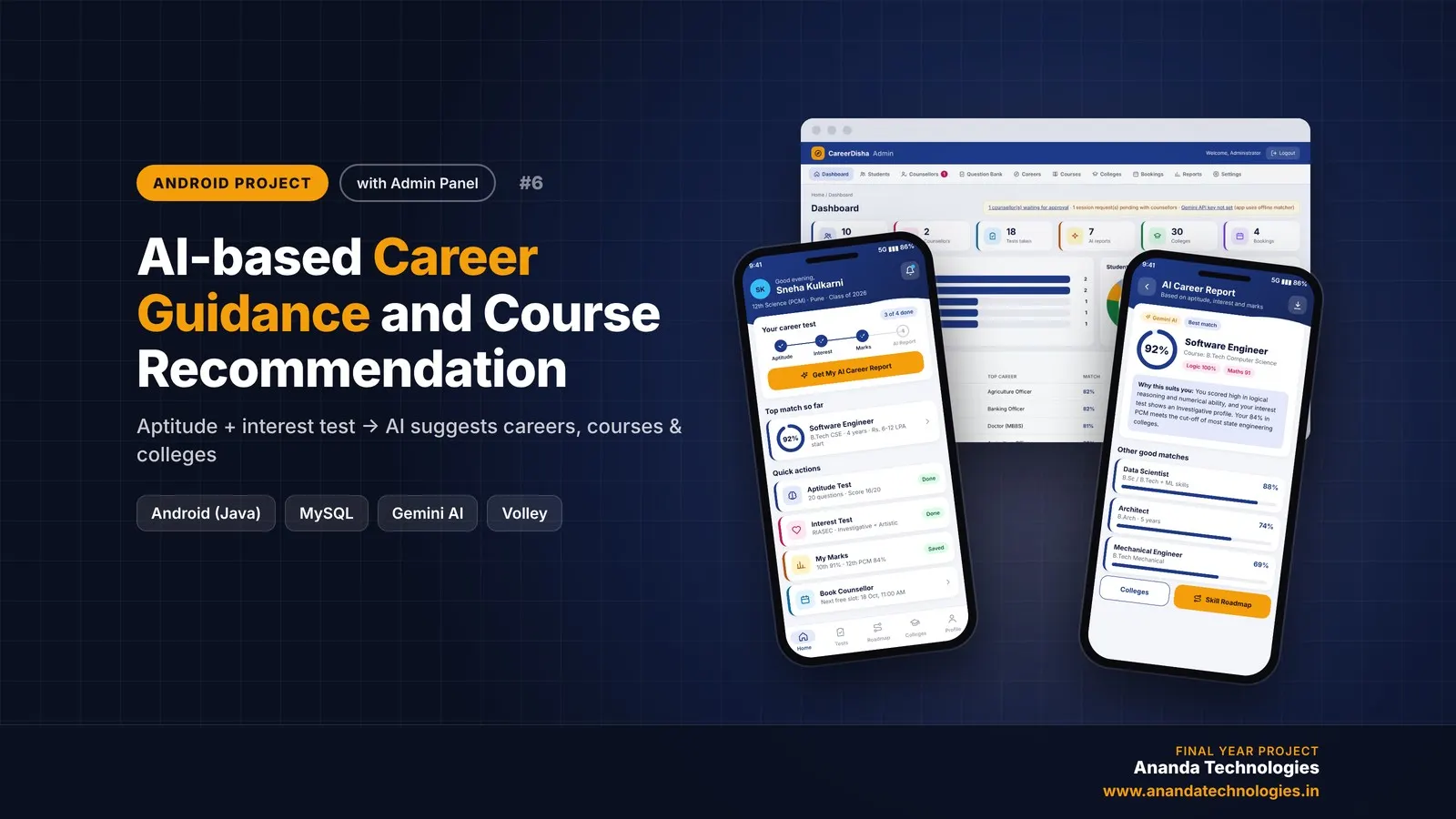
AI-based Career Guidance and Course Recommendation

CareerDisha is an AI career guidance Android project for final year students, with full source code. A student takes an aptitude test and a RIASEC interest test, enters 10th / 12th marks, and Google Gemini suggests the top 5 careers with matching courses, colleges and a step-by-step skill roadmap. Includes counsellor booking, PDF report, PHP admin panel, MySQL database, project report and setup guide.

Project price₹8,000₹12,000View Project
AI & MLJava33% OFF

Diploma (Polytechnic), MCA, BE / B.Tech

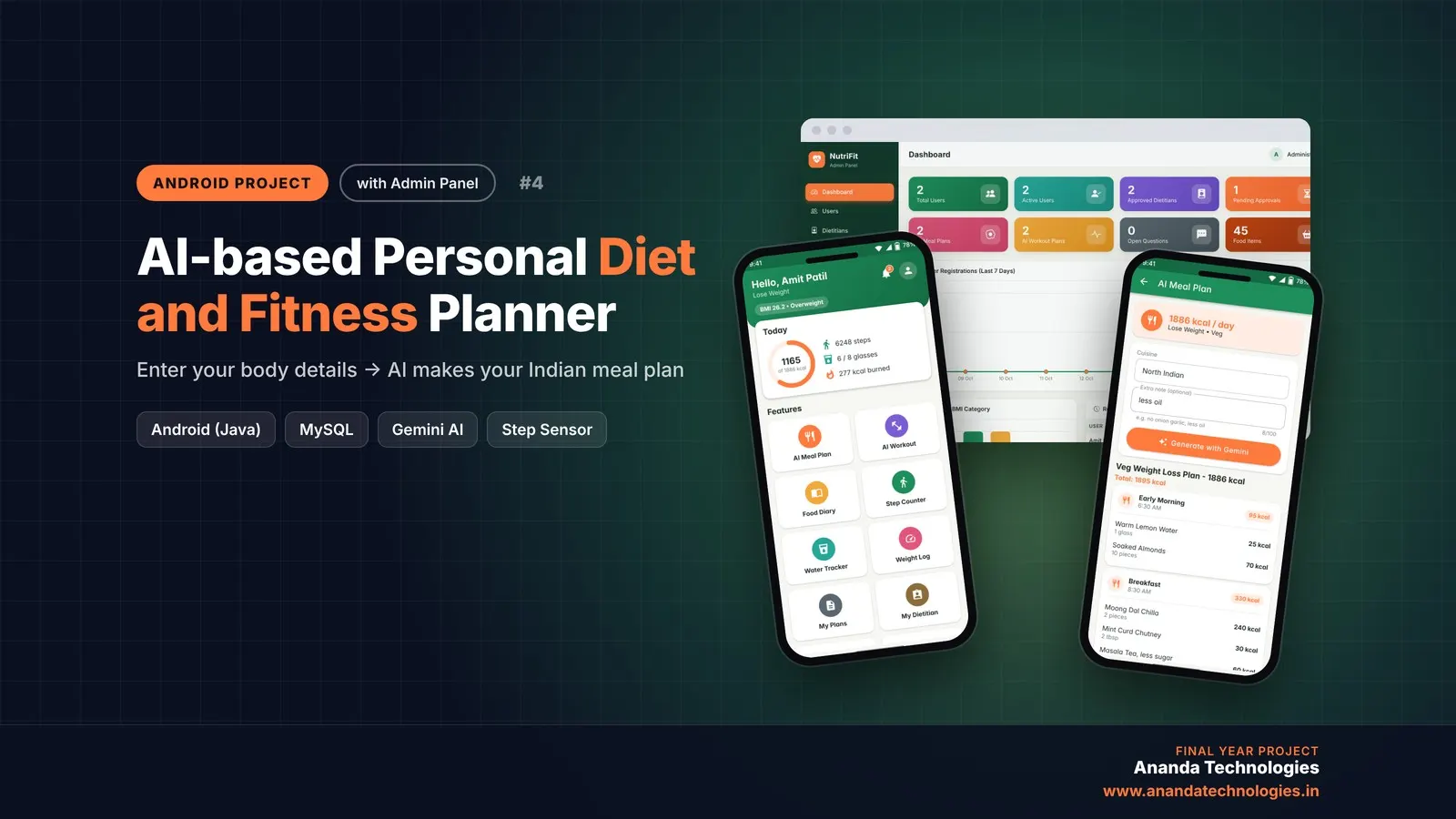
AI-based Personal Diet and Fitness Planner

NutriFit is an AI diet and fitness planner Android project for final year students, delivered with complete source code. It works out each user's BMI and daily calories, uses Google Gemini to create an Indian meal plan and a weekly workout, gets every plan reviewed by a dietitian, and tracks steps, water, weight and food. Includes a PHP admin panel, MySQL database, project report and setup guide.

Project price₹8,000₹12,000View Project

Get AI-based Smart Travel Itinerary Planner for your submission

Leave your details and a counsellor will call to confirm your branch, any changes your guide needs, and how you want to pay.