
Business Software
Software for Dal Mills and Agro Traders in Latur: A Practical Guide
What software for a dal mill in Latur should track: lot-wise purchase, recovery, godown stock, GST by pack size, dispatch and buyer dues, plus how to start.
7 min read · updated
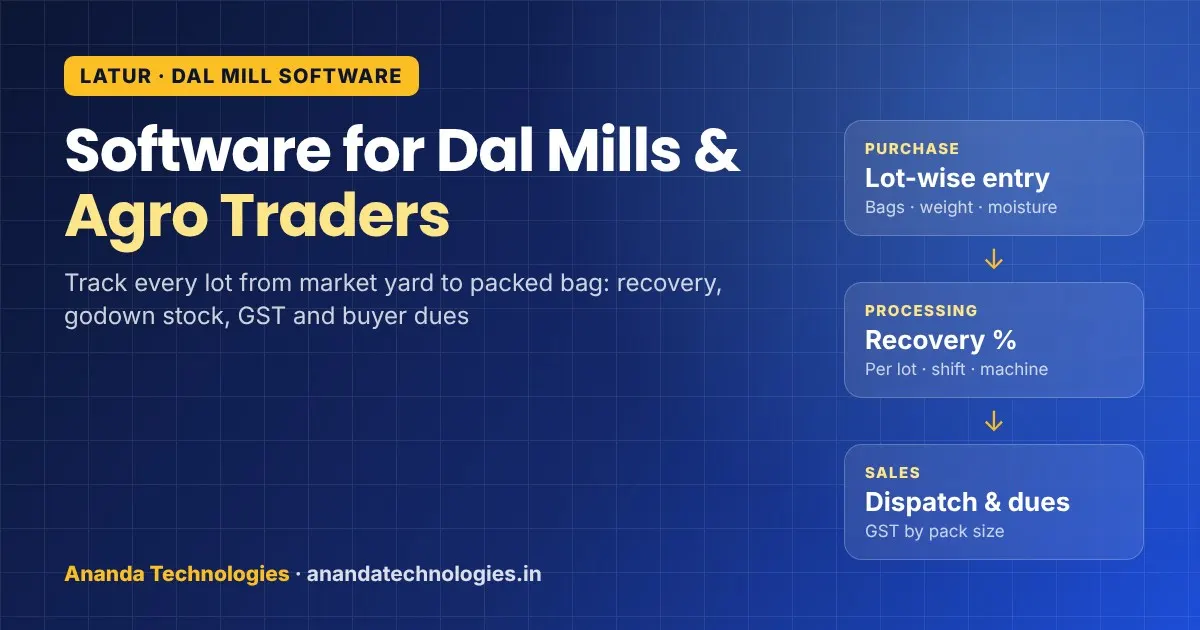
If you run a dal mill or an agro trading firm in Latur, this guide on software for dal mill work is for you. Most mills still keep purchase slips, lot details, labour and dispatch in separate diaries and Excel sheets. That works until the season is busy, a buyer disputes a weight, or you need to know which lot actually made money. This post explains what a good system should track, what to ask before you buy or build one, and how to start without stopping work.
Why Latur mills need their own kind of software
Latur is not an ordinary market town. Official sources describe Latur district as a major trading centre for pulses and soyabean, and a study of Latur dal mills and APMCs notes that pulses make up more than 86% of the district's foodgrain area. Wikipedia also describes Latur as having the largest trading centre for soybean in India, along with oil mills and agro-processing units in MIDC.
The district even has its own GI-tagged pulse: Borsuri tur dal from Nilanga taluka, a white-coloured tur variety that received its Geographical Indication tag in March 2024.
All of this means a Latur dal mill deals with things a normal shop billing package does not understand:
- Buying tur, chana, moong or udid in lots from the market yard, through adatyas or directly from farmers and FPOs
- Every lot having its own moisture, quality and purchase rate
- Processing that turns one kilo of raw grain into dal plus by-products like chuni and husk
- Selling in large bags to wholesalers in other states, often on credit
- Sharp price swings during and after the harvest season
Generic accounting software records money. A dal mill needs software that records grain, from the moment a truck reaches the gate to the moment a packed bag leaves it.
What a dal mill system should track
Here is a simple map of the work in a mill and what the software should hold at each stage.
| Stage | What to record | Report you get |
|---|---|---|
| Purchase | Supplier / adatya, commodity, lot number, bags, gross and net weight, moisture, rate | Purchase register, supplier-wise dues |
| Inward and godown | Godown, stack, date in, quality notes | Raw stock by commodity, lot and godown |
| Processing | Lot used, input weight, dal output, chuni, husk, other by-products, shift, machine | Recovery % per lot, per shift, per machine |
| Packing | Grade, bag size, brand or unbranded, labels printed | Finished stock by grade and pack size |
| Sales and dispatch | Buyer, invoice, vehicle number, weighbridge slip, transporter | Sales register, dispatch list, freight |
| Payments | Advance, part payment, credit days, cheque / UPI / RTGS | Buyer outstanding, ageing, reminders |
Lot-wise tracking is the heart of it
The most useful thing a dal mill software does is connect a purchase lot to the finished dal it produced. When you can see that Lot 214 of tur bought at a certain rate gave a certain dal recovery, you know your real cost per quintal of finished dal. Without this link, profit is a guess made at the end of the year.
Ask any vendor to show you, in the demo, how one lot moves from purchase to packing to sale. If they cannot show that, the software is just billing with a different name.
Recovery and by-products
Every mill owner knows that recovery changes with the variety, moisture and machine setting. The software should not assume a fixed number. It should let your supervisor enter the actual input and output for each batch, then show recovery per lot, per shift and per machine. Over a season, this tells you which suppliers bring better grain and which machine needs attention.
By-products like chuni and husk are sold too, often to cattle feed buyers. Keep them as real stock items with their own sales, not as a note in a diary.
GST and packing: get the setup right
Pack size matters for tax. Under the GST change effective 18 July 2022, pre-packed and labelled pulses in packs up to 25 kg attract 5% GST, while a single pack above 25 kg is exempt, as clarified in CBIC FAQs. Many mills sell both kinds, so the software must pick the right tax on every invoice line based on the pack and labelling, not one fixed rate per item.
GST rules do change, so your item master should let you update tax rates without calling the developer. Always confirm current rates and HSN codes with your CA. This post is not tax advice.
Ready software or custom software?
There are three common routes:
- Accounting software plus Excel. Cheap to start, but lot tracking, recovery and godown stock stay outside the books.
- A ready ERP for food processing. Faster to start, but check whether it understands Indian market yard purchases, adatya commission and Marathi-speaking staff.
- Custom software built around your mill. Takes a few weeks to build, but follows your exact process and grows with you.
We explained the trade-offs in detail in our guide on custom vs ready software. For a dal mill, the deciding question is simple: does the ready product handle lot-wise purchase, processing and recovery the way you do it? If yes, use it. If your staff will do half the work outside the software, custom is cheaper in the long run.
If you also run a retail counter that sells packed dal, rice and oil directly to customers, a shop billing tool like Ananda POS can handle that counter, with barcode billing, GST invoices and udhari, while the mill system handles the factory.
What to ask before you buy or build
Take this list to every demo:
- Can it record a purchase lot with moisture, bags and net weight, and follow it to finished dal?
- Does it show recovery per lot, shift and machine from real entries?
- Can it handle multiple godowns and stock transfers between them?
- Does it pick GST correctly by pack size and labelling, with rates I can update?
- Can my supervisor enter data on a phone at the processing floor, even with weak network?
- Does it show buyer outstanding with credit days and send reminders?
- Is the data mine? Can I export it to Excel any time?
- Who trains my staff, in Marathi or Hindi, and who do I call during the season rush?
Mobile entry for the floor and the market yard
Your purchase team at the market yard and your supervisor on the floor are not sitting at a computer. A simple Android app lets them enter a purchase lot, a batch output or a dispatch on the spot, with a photo of the weighbridge slip. The app should save entries offline and sync when the network returns. We wrote more about this kind of app in our post on field staff apps, and you can see how we build them on our Android app development page.
How to start without stopping the mill
Do not try to move everything in one go during peak season.
- Start with purchase and stock. Enter every new lot in the system for one month. Keep old diaries as backup.
- Add processing entries. Once lots are in, record batch input and output so recovery reports start working.
- Add sales, dispatch and outstanding. Now you can see a lot's full journey and your buyer dues.
- Add the mobile app for the yard and the floor when staff are comfortable.
The quiet months between seasons are the best time to set this up and train staff.
How we work with Latur mills and traders
Ananda Technologies is a software company with its office in Nanded, and we work with businesses in Latur by phone, WhatsApp, online meetings and visits when needed. For custom software development, we start with a requirement call, give a fixed written quotation, and show you working software every week while it is built. Usually 50% is paid as advance and the rest is linked to milestones in the signed quotation. The code, data and domain are handed over in your name as per the agreement, and we train your staff after launch.
You can read more about how we serve the city on our software company in Latur page. If you want to talk about your mill's process, contact us for a free requirement call.
Frequently asked questions
What should software for a dal mill track?
At minimum it should track purchase lots (supplier, bags, net weight, moisture, rate), godown stock, processing batches with dal output and by-products like chuni and husk, packing by grade and bag size, sales and dispatch, and buyer outstanding. The most useful part is linking each purchase lot to the finished dal it produced.
Can the software show dal recovery for each lot?
Yes, if your supervisor enters the actual input and output for each batch. The software then shows recovery per lot, per shift and per machine from real entries, instead of assuming a fixed number.
How does GST work for packed and loose dal in billing software?
Under the July 2022 change, pre-packed and labelled pulses in packs up to 25 kg attract 5% GST, while a single pack above 25 kg is exempt. Good software picks the tax per invoice line based on pack size and labelling, and lets you update rates. Confirm current rates with your CA.
Do you work with dal mills and agro traders in Latur?
Our office is in Nanded and we work with businesses in Latur by phone, WhatsApp, online meetings and visits when needed. We start with a requirement call and give a fixed written quotation before any work begins.