
Websites & Apps
Field Staff App for Sambhajinagar MIDC Companies: A Practical Guide
A practical guide for Waluj, Shendra, Chikalthana and AURIC units on Android apps for sales reps, service engineers, delivery and collection staff: features, offline use and questions to ask.
6 min read · updated
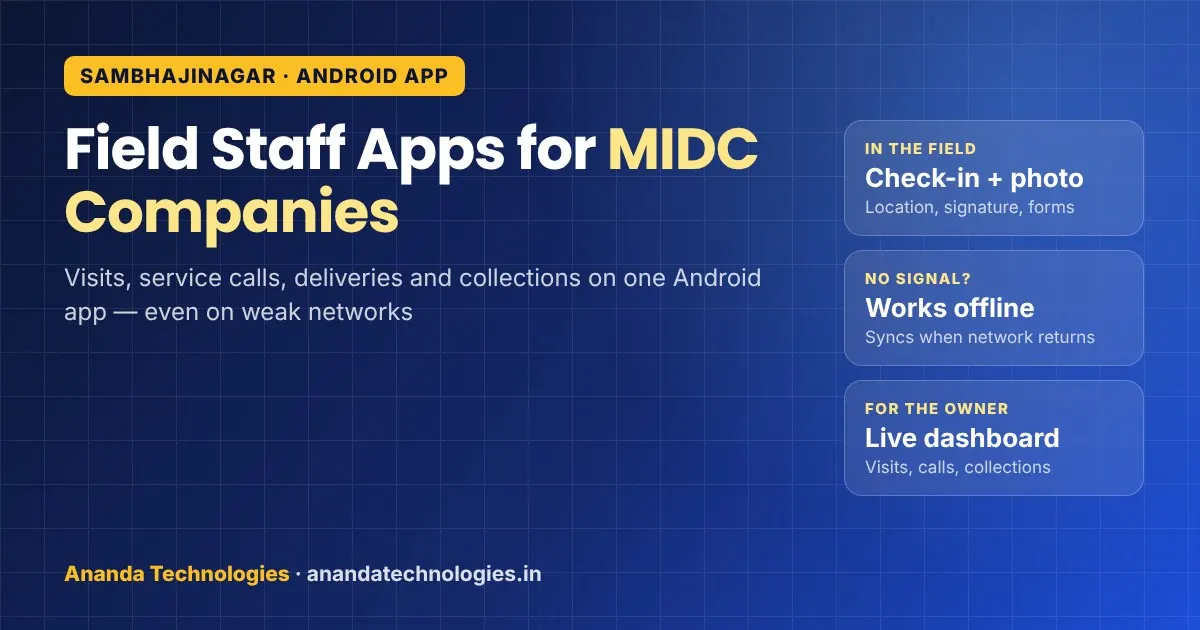
If your sales reps, service engineers or delivery staff spend most of the day outside the factory, a field staff app Sambhajinagar companies can rely on is often the simplest way to know what happened in the field without waiting for the evening phone call. This guide is for owners and managers of small and mid-size units in Waluj, Shendra, Chikalthana and the new AURIC area who are thinking about an Android app for their field team, and want to know what to ask for before they pay anyone to build it.
Why field work is a real problem for MIDC companies
Chhatrapati Sambhajinagar is one of Maharashtra's big manufacturing centres. The Waluj, Chikalthana and Shendra MIDC areas host auto and auto-component makers, pharma companies, engineering and plastics units, and the Shendra–Bidkin industrial area (AURIC) is growing under the Delhi–Mumbai Industrial Corridor. Around every large plant there is a long chain of smaller suppliers, job-work shops, transporters, service contractors and dealers.
That chain runs on people who move:
- Sales and dealer reps who visit dealers, garages and distributors across Marathwada.
- Service engineers who go to customer plants to repair or maintain machines.
- Delivery and dispatch staff who carry material and bring back signed challans.
- Collection staff who follow up on payments from distributors and small buyers.
- Supervisors who manage contract labour at more than one site.
In most units, this work is still tracked on paper diaries, WhatsApp photos and phone calls. The owner finds out about a missed visit, a pending payment or a machine breakdown only after a day or two, and the office re-types the same data into its main software.
What a field staff app actually does
A good field app is not a fancy product. It is a set of simple screens on the staff member's Android phone that replace the diary, plus an admin panel for the office. Typical features:
- Today's task list – visits, service calls or deliveries assigned to that person.
- Check-in with location and time – so the office knows the visit happened, at the customer's address.
- Photos and signatures – a photo of the repaired machine, a signed delivery challan, a dealer's display.
- Simple forms – order taken, problem found, parts used, amount collected, next follow-up date.
- Expenses – fuel, toll and food claims with a bill photo, sent for approval.
- Offline entry – the app saves entries on the phone when the network is weak and syncs when it comes back.
- Owner dashboard – who visited whom today, pending service calls, collections, and orders by area.
On our Android app development page you can see the kind of field and collection apps we build: field data forms with photos, GPS and signatures, offline-first sync, push notifications, and publishing on the Play Store under your own developer account.
Match the app to your field roles
Different roles need different screens. Before asking for a quotation, write down which of these apply to you:
| Field role | What the app records | What the office sees |
|---|---|---|
| Sales / dealer rep | Visit check-in, order taken, dealer stock, photo of display | Visits per rep, orders by area, dealers not visited |
| Service engineer | Complaint number, problem, parts used, before/after photos, customer signature | Open and closed calls, time per call, repeat breakdowns |
| Delivery staff | Delivery done, signed challan photo, returns, vehicle km | Pending deliveries, proof of delivery, short supply |
| Collection staff | Amount collected, mode, receipt shared, next follow-up | Collections by person and party, overdue list |
| Site supervisor | Labour attendance with photo, work done, material used | Attendance by site, daily progress |
A small supplier may need only one row of this table to start. That is fine. It is better to launch one module that staff actually use than a big app nobody opens.
Five questions to ask before you build
1. Will it work where my staff actually go?
Many Sambhajinagar suppliers serve customers in Jalna, Beed, Ahilyanagar and rural talukas where the mobile signal drops. An online-only app will fail there. Ask the developer to show offline entry in a demo: switch the phone to airplane mode, save an entry, turn the network back on and watch it sync.
2. How will it connect to my existing software?
If you already use accounting or ERP software, the field app should send data there or at least export it cleanly, so the office does not re-type it. Tell the developer which software you use and ask in writing what the connection will be, before work starts. If you have no proper back-office software yet, a custom software admin panel can be built along with the app.
3. Who owns the app and the data?
The app should be published under your Google Play developer account, and the code, server and data should be in your company's name. If the developer leaves, you should still be able to update the app. With us, source code and Play Console access are handed over in the client's name.
4. What exactly is tracked, and are staff told?
Location tracking is the most sensitive part of any field app. Decide what you really need: usually a location at check-in and check-out is enough, not the whole day. Tell staff clearly what the app records and when. Apps that feel like spying get uninstalled or "forgotten" at home. For anything about personal data rules, check with your CA or legal adviser.
5. Can my staff use it in five minutes?
Most field staff are not computer users. Big buttons, few typed fields, Marathi or Hindi labels where needed, and photos instead of long text make the difference. Ask for a clickable prototype and try it with two of your own staff before development starts.
Off-the-shelf app or custom app?
There are many ready field-force apps sold on monthly plans, and for a common workflow they can be a good start. A custom app makes more sense when your work has its own steps: a specific service report your customer demands, your own part codes, approval chains, or a link to software you already run. We wrote a separate guide on this choice: custom software vs ready software for Sambhajinagar businesses.
Whichever way you go, start with one role, one team and a few weeks of real use, then add the next module.
A simple roadmap for a small MIDC unit
- Week 0 – Write down the paper. Collect the diaries, challans and forms your field staff fill today. They are your first requirement document.
- Requirement call. Explain the flow. You get a written scope, timeline and fixed quotation before anything starts.
- Prototype. Check the screens on a phone with your own staff.
- Build with weekly demos. You get a test build (APK) every week to try in the field.
- Pilot with one team. Run it with 3–5 people for a few weeks and fix what they complain about.
- Roll out and train. Train all field staff and office users, then add the next module.
For a broader look at when an app is worth it at all, see our earlier post on whether a business needs an Android app.
Working with us from Sambhajinagar
Ananda Technologies has its office in Nanded, and we work with businesses in Chhatrapati Sambhajinagar by phone/WhatsApp, online meetings and visits when needed. Projects run with a written quotation, usually 50% advance and the balance at launch, a demo every week on a test link, and training for your staff at launch. You can read more on our software company in Chhatrapati Sambhajinagar page.
If your field team still runs on diaries and WhatsApp photos, send us a message with the roles you want to cover, and we will help you plan the first version.
Frequently asked questions
What is a field staff app?
It is an Android app for staff who work outside the office, such as sales reps, service engineers, delivery and collection staff. They see their tasks, check in at the customer's place, add photos, signatures and forms, and the office sees everything on an admin panel the same day.
Will the app work in areas with a weak mobile network?
It can, if it is built offline-first. Entries are saved on the phone when there is no signal and synced automatically when the network returns. Ask for this to be shown in a demo before you approve the project.
Can the field app connect to the software we already use?
Usually yes. Tell the developer which accounting or ERP software you use and get the connection written into the scope. If you have no back-office software, an admin panel can be built along with the app.
Do you have an office in Chhatrapati Sambhajinagar?
No. Our office is in Nanded. We work with Chhatrapati Sambhajinagar businesses by phone/WhatsApp, online meetings and visits when needed, with a weekly demo on a test link.