Skip to content
Ananda Technologies Pvt. Ltd.
  • Java

MediBill

MediBill is a pharmacy billing system Java project that keeps medicine stock batch-wise, bills the earliest-expiry batch first, blocks expired strips and prints a GST invoice PDF.

Platform
Java Desktop (Swing + MySQL)
1-on-1 setup
AnyDesk / Meet
Setup time
1 Hour
Download access
8 months
1 / 5

About this project

FULL PROJECT TITLE

MediBill - Pharmacy Counter Billing with Expiry Alerts

Use this title in your synopsis and report.

MediBill is a pharmacy billing system Java project that keeps medicine stock batch-wise, bills the earliest-expiry batch first, blocks expired strips and prints a GST invoice PDF. A complete final year Java project with source code, MySQL database and full documentation.
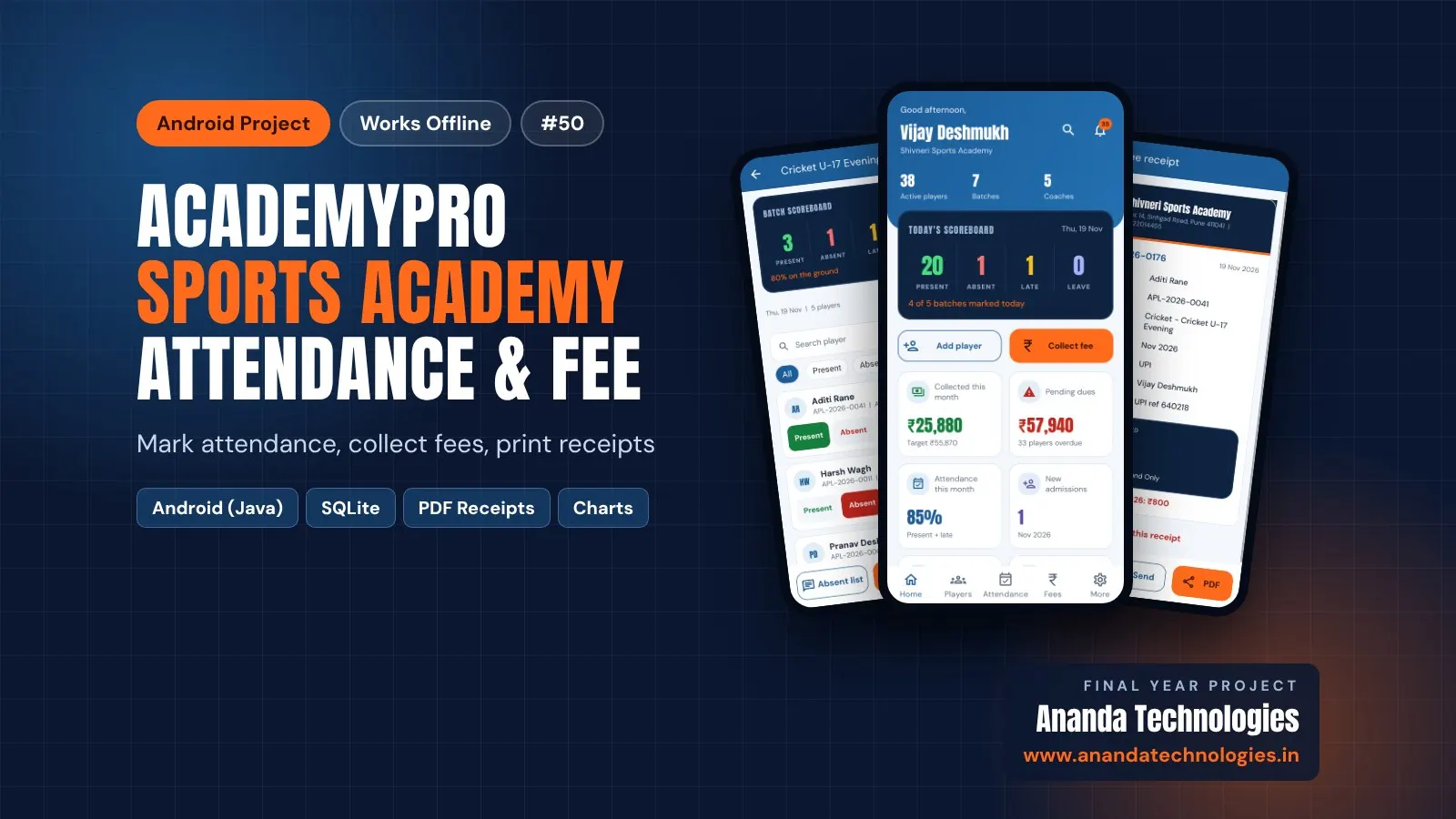
MediBill – Pharmacy Billing System Java project is a Java Swing desktop application with a MySQL database for small medical stores. Many shops bill from a bill book or a general billing program that knows nothing about batches, so expired strips reach customers, Schedule H medicines are sold without a doctor's name and expired stock is found too late to return. MediBill keeps stock batch-wise, offers only unexpired batches at the counter (earliest expiry first), works out GST from the MRP and prints a tax invoice for every bill.

How it works

  • Admin adds medicines (GST %, schedule, rack, reorder level), categories and suppliers
  • Purchase entry adds batches with expiry date, rate and MRP to stock
  • Pharmacist types a medicine name; unexpired batches are listed earliest expiry first (FEFO)
  • GST and totals are calculated from MRP; Schedule H items need customer and doctor name
  • Save & Print stores the bill and reduces stock in one transaction and creates the GST invoice PDF
  • Dashboard and alert screen warn about expired, expiring and low stock; admin returns or writes off batches

Users

  • Pharmacist (counter) – dashboard, new bill (F2), bill history with reprint, sales return, medicine and stock view, expiry and low-stock alerts, profile
  • Admin (owner) – everything of pharmacist + medicines, categories, suppliers, purchase entry, stock & batches, return / write-off, 6 reports, users, shop settings, backup

Highlights

  • 2 roles, 14 screens, 9 MySQL tables, 53 Java classes, 6 reports with PDF + GST invoice PDF
  • Expired batches blocked in the billing screen and again in the database
  • Expiry alerts 30–180 days in advance with return to supplier / write-off
  • Sales return within 7 days with refund and stock added back
  • Keyboard friendly counter screen, 7-day sales chart, data backup
  • 56 automated test cases, all passed; sample data and demo logins included

What you get

  • Complete Java source code (Eclipse project, runs in NetBeans / IntelliJ too)
  • MySQL database SQL file with sample data
  • Project report (56 pages) with all diagrams, abstract, project explanation with viva questions
  • Setup guide and README with a 10-minute demo script
  • Setup help from Ananda Technologies

Who can use this project

BCA and BSc (CS / IT) final year students who want a Java Swing MySQL billing project with source code that is easy to explain in viva and has enough content for 3 students and 3 college demos.

Frequently asked questions

  • Does it need internet? No, it is a desktop application and works fully offline.
  • How is GST calculated? In reverse from the MRP, split into CGST and SGST on the invoice.
  • Can 3 students share this project? Yes, the README gives a 3-student split and a 3-demo plan.
  • Is the report editable? Yes, the report is given in Word and PDF.

Who can take it

Students who need a working project with source code, report and setup help for their submission.

Branches: Computer Science & Engineering (CSE), Information Technology (IT)

We make it easy for you

  • 1-on-1 session on AnyDesk or Google Meet
  • We install the full project on your laptop
  • We explain the flow, modules and database for your viva
  • Report and step-by-step setup guide included
  • WhatsApp help whenever you get stuck

What you get

Everything unlocks in My projects right after payment.

  • Source codeComplete, working source code
  • Project reportEditable report / documentation
  • Setup guideStep-by-step installation guide
  • Viva questionsCommon viva questions with answers

Project report preview

The first 5 pages of the report that comes with this project — 56 pages in the full report. Tap a page to read it — swipe for the next page.

Included free with this project

1-on-1 setup session on AnyDesk or Google Meet

After you buy, we schedule a session at a time that suits you. Our developer installs the complete project on your own laptop, runs it with you and explains it — so you can present it with confidence.

  1. 1

    Pick a time

    We call or WhatsApp you to fix the slot

  2. 2

    We install it

    Full setup on your system over AnyDesk

  3. 3

    We explain it

    Flow, modules and database on Google Meet

Modules inside

17 working modules — each one is explained in the report.

  • Login with 2 roles: Admin and Pharmacist (blocked users cannot log in)
  • Dashboard with today's sales, bills, expiring batches, low stock and 7-day chart
  • Medicine master with GST %, Schedule H / OTC, rack and reorder level
  • Categories and suppliers
  • Purchase entry with batch number, expiry, rate and MRP
  • Batch-wise stock view
  • Counter billing (F2) with earliest-expiry-first batch selection
  • Expired batches blocked at billing
  • GST calculated from MRP with CGST / SGST and round off
  • Schedule H rule: customer and doctor name required
  • GST invoice PDF with bill number
  • Bill history with search and reprint
  • Sales return within 7 days with refund
  • Expiry and low-stock alerts with return to supplier / write off
  • 6 reports (daily sales, GST summary and more) with PDF export
  • Users: add, block, reset password; profile and change password
  • Shop settings on the bill and data backup

Want an extra module or a change?

We can add the features your guide asked for. Tell us what to change and get a quote on WhatsApp.

Customise this project

Technology used

Built with
Java 17 (Swing + FlatLaf)MySQL 8 (MySQL Workbench or XAMPP)JDBC (MySQL Connector/J)OpenPDF (GST invoice and reports)Eclipse IDE (also NetBeans / IntelliJ)
Runs as
Java Desktop (Swing + MySQL)
Setup time
1 Hour with the guide
Documents
Project Abstract (2 pages, Word + PDF), Project Report (56 pages, Word + PDF) with architecture, DFD, ER, use case, activity and sequence diagrams, Project Explanation with viva questions and answers (Word + PDF), Setup Guide with Eclipse, MySQL steps and common errors (Word + PDF), Database SQL file with sample data, Screenshots of every screen, README with logins, 3-student split and 10-minute demo script

How buying works

  1. 1

    Read the free abstract

    Sign in and download it (3 per day)

  2. 2

    Pay securely

    UPI, card or net banking

  3. 3

    Download instantly

    Source code and report in My projects for 8 months

  4. 4

    1-on-1 setup session

    We install it on your laptop and explain it

How to run it

An overview — the full guide comes with the project, and we help you if anything doesn’t start.

  1. 1Install JDK 17, MySQL 8 (with MySQL Workbench) or XAMPP, and Eclipse IDE for Java Developers.
  2. 2Start MySQL.
  3. 3Open Database/medibill_db.sql in MySQL Workbench (or phpMyAdmin) and run it.
  4. 4If your MySQL root user has a password, write it in config/db.properties.
  5. 5In Eclipse choose File > Import > Existing Projects into Workspace and select the MediBill folder.
  6. 6Open MediBillApp.java and choose Run As > Java Application (or double-click run.bat).
  7. 7Login as admin / admin123 (Admin) or staff / user123 (Pharmacist).

Questions about MediBill

What do I get when I buy MediBill?

Complete source code, the database, project abstract (2 pages, word + pdf), project report (56 pages, word + pdf) with architecture, dfd, er, use case, activity and sequence diagrams, project explanation with viva questions and answers (word + pdf) and help to run it on your laptop. Files unlock in your dashboard right after payment.

Can I see the abstract before buying?

Yes. Sign in and download the free abstract from this page, and check it with your guide first.

Will you help me run and explain the project?

Yes. After you buy, we schedule a 1-on-1 session on AnyDesk or Google Meet. Our developer installs the complete project on your own laptop, runs it with you and explains the flow, modules and database so you are ready for your viva.

Can the project be changed for my college?

Small changes such as adding a module or changing fields are possible. Tell us before you pay and we will confirm what we can do and the cost.

Similar projects

All Java projects →
Java40% OFF

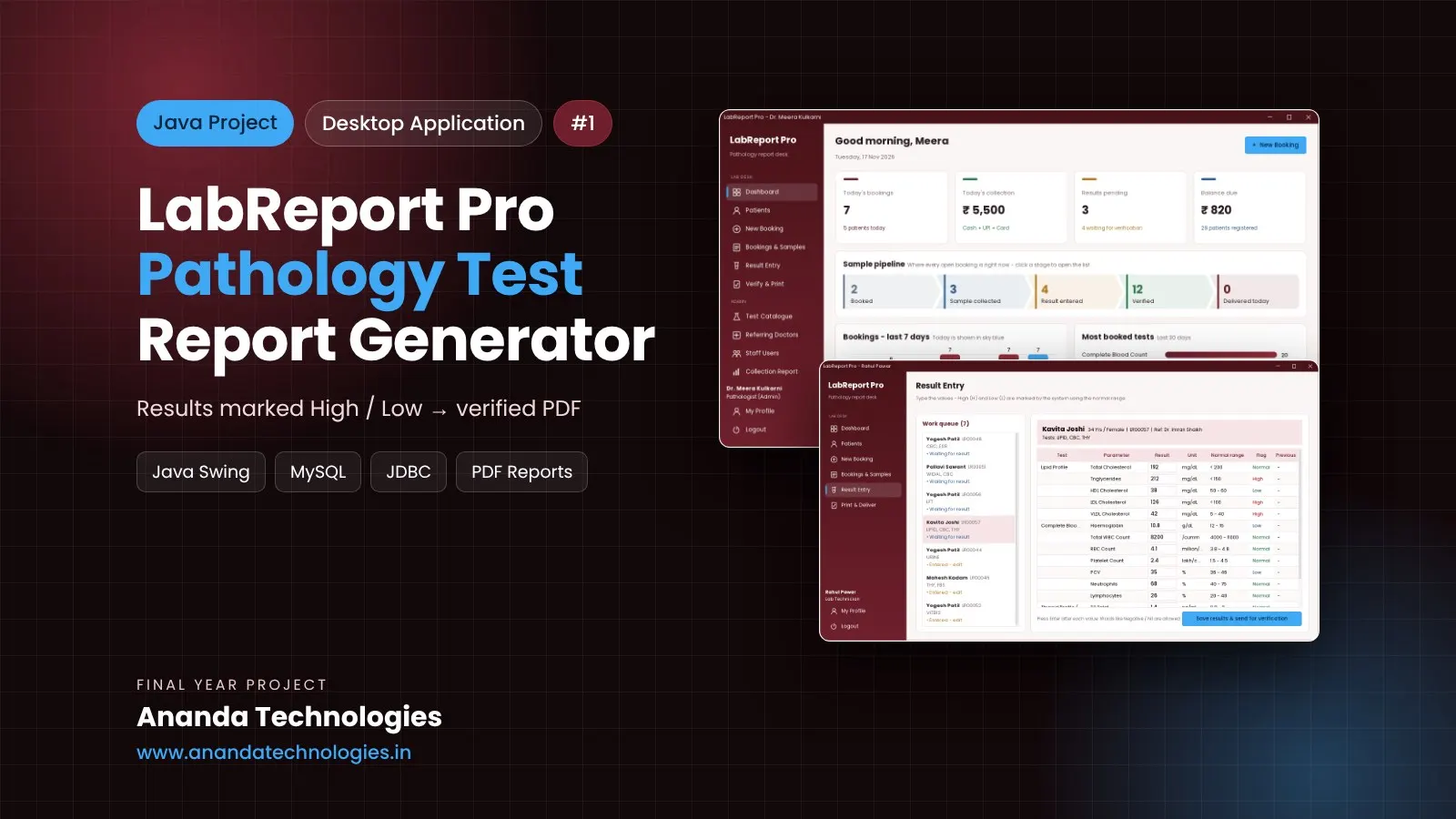
AcademyPro - Sports Academy Player Attendance & Fee

AcademyPro is a sports academy attendance fee Android project that works fully offline on the phone for BCA / BSc final year students. The owner manages sports, batches and coaches, admits players, collects full or part fees with numbered receipts and sends ready WhatsApp reminder texts to parents. Comes with complete source code, SQLite database, report and full documentation.

Free abstract· Download₹0
Project price₹3,000₹5,000View Project
Java40% OFF

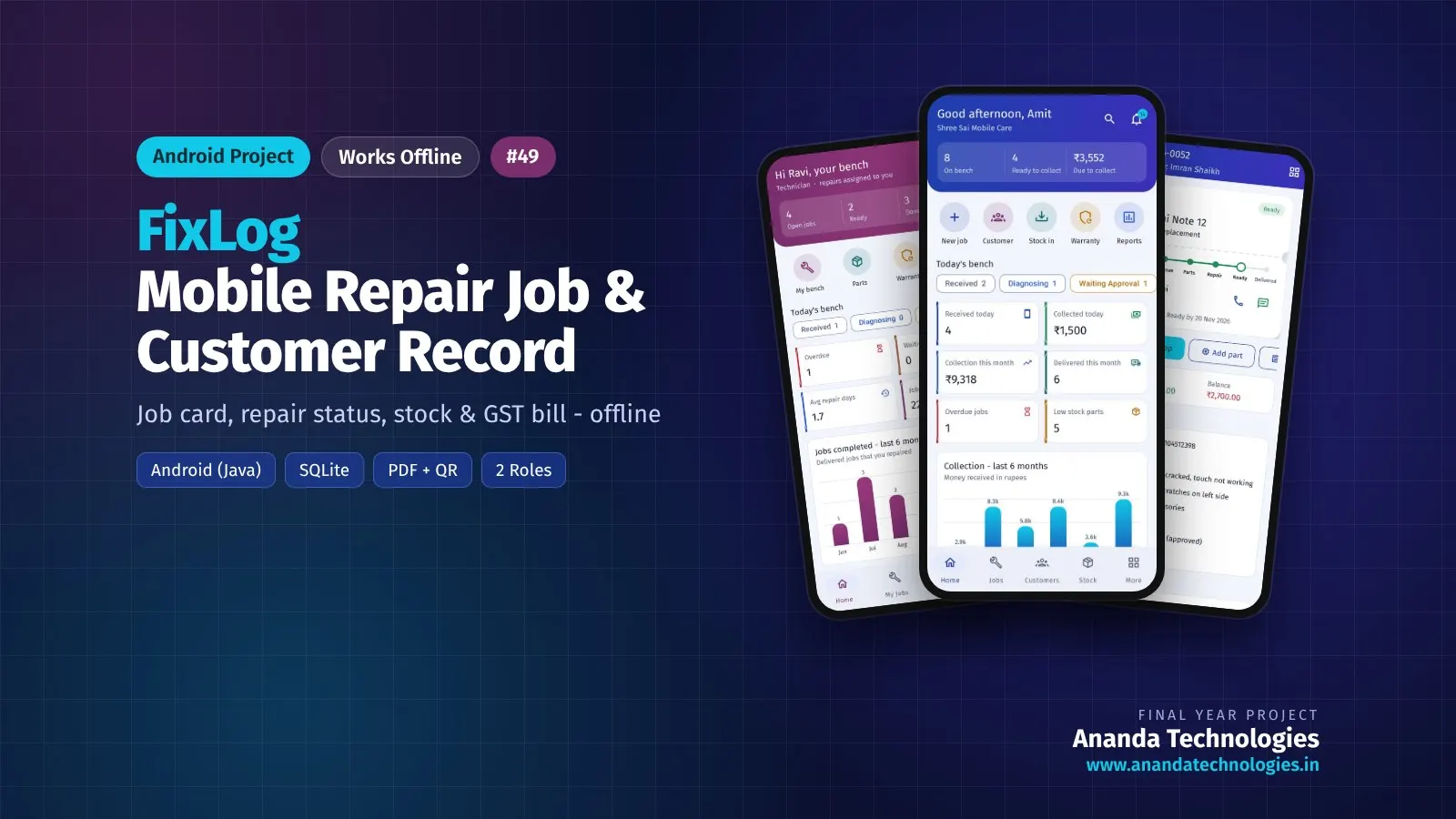
FixLog - Mobile Repair Job & Customer Record

FixLog is a mobile repair shop Android project that works fully offline on the phone for BCA / BSc final year students. The owner creates a digital job card with an automatic number (JOB-2026-0049), a QR code and a printable PDF; every job then moves through a clear status flow (Received, Diagnosing, Waiting Approval, Waiting Parts, In. Comes with complete source code, SQLite database, report and full documentation.

Free abstract· Download₹0
Project price₹3,000₹5,000View Project
None of these fit your topic?Send your idea — we build it and share the quote first.Request custom project

Get MediBill for your submission

Leave your details and a counsellor will call to confirm your branch, any changes your guide needs, and how you want to pay.

  • Call 77739 07779, Mon–Sat, 10 am – 6 pm
  • WhatsApp +91 77739 07779
  • Visit us: 1st Floor, APMC Complex, Near Krushi Uttpan Bazar Samiti, New Mondha, Nanded