Skip to content
  • AI & ML
  • Java
  • Android
  • 33% OFF

Face Recognition based Smart Attendance System

Face Recognition Attendance System is a final year Android project with source code where the teacher takes one class photo and every enrolled student's face is detected and matched automatically using ML Kit and a MobileFaceNet TFLite model. Students enrol their face with a blink check and track subject-wise attendance, while the admin manages classes, approvals and defaulter reports from a web panel. Includes Android app, admin panel, MySQL database, 56-page report, abstract and setup guide.

ForDiplomaMCAB.Tech· CSE, IT

Platform
Android + Web API
1-on-1 setup
AnyDesk / Meet
Setup time
2 Hour
Download access
8 months
  • Source code
  • Project report
  • Setup guide

About this project

About the project

Calling roll numbers wastes 5–10 minutes of every lecture, and paper registers are easy to manipulate with proxy attendance. This face recognition attendance system Android project solves it with one photo: the teacher captures the class, the app finds every face, converts it into a 192-number face code with a MobileFaceNet model and matches it with the students enrolled in that class. Attendance is marked in seconds, and the teacher can still review and edit the list before saving.

How it works

  • The admin creates departments, classes and subjects, and allocates subjects to teachers
  • Students register and enrol their face from 5 angles (front, left, right, up, down) with a blink check against photo spoofing
  • The teacher picks the class, subject and period, then takes up to 3 class photos (camera or gallery)
  • Google ML Kit detects every face; each face is cropped, resized to 112×112 and turned into a face code by MobileFaceNet (TensorFlow Lite) on the phone
  • Face codes are compared with cosine similarity; each student gets at most one face (greedy matching), borderline matches are flagged "Low match" and the rest are shown as unknown faces
  • The teacher saves the session; students get a notification and can request a correction with proof if they were missed
  • Defaulter lists, class analytics with at-risk prediction and PDF reports are generated from the saved data

Users

  • Teacher: start session, class photo, automatic face matching, edit attendance, approve corrections, defaulter list PDF, class analytics with at-risk prediction
  • Student: face enrolment, subject-wise attendance, attendance calendar, correction requests, streak and badges, attendance certificate PDF
  • Admin (web panel): departments, classes, subjects, allocations, teacher and student approval, attendance records, reports with print, notices, matching thresholds and settings

Highlights

  • 3 roles, 24 Android screens, 15 admin pages, 29 PHP APIs, 12 database tables
  • On-device AI: ML Kit face detection + MobileFaceNet TFLite face embeddings, no internet needed for matching
  • Liveness (blink) check during face enrolment
  • Only face codes are stored on the server, never face photos
  • At-risk prediction using a least-squares trend line, with optional Gemini insight and offline fallback
  • Complete validations in app and server (email, 10-digit mobile, duplicate checks, file type and size, CSRF in admin panel)
  • Sample data with 26 students, 210 lectures and demo logins for every role

What you get

  • Complete Android Studio project (Java) with the face model included
  • PHP API + admin panel source code
  • MySQL database file with sample data
  • Project report in Word (56 pages, with UML and DFD diagrams)
  • 2-page project abstract (Word + PDF)
  • Project explanation with 20 viva questions
  • Step-by-step setup guide (PDF) and installation help

Who can use this project

BE / B.Tech (Computer, IT, AI & DS), MCA, BCA, M.Tech and Diploma students looking for a machine learning Android project with source code and documentation. It fits final year project, mini project and seminar requirements for CSE, IT and ENTC departments.

Frequently asked questions

Does face matching need the internet? No. Face detection and matching run inside the Android app; the internet (or Wi-Fi to your PC) is only needed to save and load data from the server.

Can it mark the whole class from one photo? Yes. Every visible face in the photo is matched. For big classes the teacher can add up to 3 photos and repeated faces are counted only once.

Can a student cheat by showing a photo of a friend? Face enrolment requires a blink and head turns, and the teacher sees every match with its score before saving.

Can I run it without a real phone? The admin panel and most screens work on the emulator, and the class photo can be picked from the gallery. Face enrolment needs a phone with a front camera.

Who can take it

  • Diploma (Polytechnic) · best fit
  • MCA · best fit
  • BE / B.Tech · best fit

Branches: Computer Science & Engineering (CSE), Information Technology (IT)

We make it easy for you

  • 1-on-1 session on AnyDesk or Google Meet
  • We install the full project on your laptop
  • We explain the flow, modules and database for your viva
  • Report and step-by-step setup guide included
  • WhatsApp help whenever you get stuck

What you get

Everything unlocks in My projects right after payment.

  • Source codeComplete, working source code
  • Project reportEditable report / documentation
  • Setup guideStep-by-step installation guide

Included free with this project

1-on-1 setup session on AnyDesk or Google Meet

After you buy, we schedule a session at a time that suits you. Our developer installs the complete project on your own laptop, runs it with you and explains it — so you can present it with confidence.

  1. 1

    Pick a time

    We call or WhatsApp you to fix the slot

  2. 2

    We install it

    Full setup on your system over AnyDesk

  3. 3

    We explain it

    Flow, modules and database on Google Meet

Modules inside

18 working modules — each one is explained in the report.

  • Teacher and student registration with admin approval
  • Face enrolment from 5 angles with blink liveness check
  • Teacher dashboard with today's lectures and stats
  • Start session: class, subject, lecture type and period
  • Class photo capture from camera or gallery (up to 3 photos)
  • Face detection with Google ML Kit
  • Face embeddings with MobileFaceNet (TensorFlow Lite)
  • Automatic matching with cosine similarity and low-match flag
  • Review, edit and save attendance with student notifications
  • Session history and attendance editing
  • Correction requests with proof and teacher approval
  • Defaulter list with PDF export
  • Class analytics with at-risk prediction and AI insight
  • Student subject-wise attendance and calendar
  • Streak, badges and class leaderboard
  • Attendance certificate PDF for students
  • Admin masters: departments, classes, subjects, allocations
  • Admin reports, notices and matching threshold settings

Technology used

Built with
Android (Java) - Android StudioGoogle ML Kit Face DetectionTensorFlow Lite (MobileFaceNet)CameraXVolleyPHP 8 (APIs + Admin Panel)MySQL (XAMPP / phpMyAdmin)Gemini API (optional insight)
Runs as
Android + Web API
Setup time
2 Hour with the guide
Documents
Project abstract (Word + PDF, 2 pages), Project report (Word, 56 pages), Project explanation with viva questions, Installation / setup guide (PDF), Database SQL with sample data, App and admin panel screenshots, README

How buying works

  1. 1

    Read the free abstract

    Sign in and download it (3 per day)

  2. 2

    Pay securely

    UPI, card or net banking

  3. 3

    Download instantly

    Source code and report in My projects for 8 months

  4. 4

    1-on-1 setup session

    We install it on your laptop and explain it

How to run it

An overview — the full guide comes with the project, and we help you if anything doesn’t start.

  1. 1Install XAMPP and start Apache and MySQL
  2. 2Copy Web_PHP\19-face-attendance to C:\xampp\htdocs\academic-projects\19-face-attendance
  3. 3Import Database\android_face_attendance.sql in phpMyAdmin
  4. 4Open the admin panel and login with admin@facehaazri.in / admin123
  5. 5Optional: add a Gemini API key in admin Settings
  6. 6Open Android_App\FaceHaazri in Android Studio and let Gradle sync
  7. 7If asked "Gradle 8.9 is incompatible with JVM 25", click Use JVM 21
  8. 8Run the app and set the server IP on the login screen (emulator 10.0.2.2)
  9. 9Enrol a face as student aarav.patil@gmail.com / student123
  10. 10Login as teacher priya.deshmukh@mitcollege.in / teacher123 and take a class photo

Questions about Face Recognition based Smart…

What do I get when I buy Face Recognition based Smart…?

Complete source code, the database, project abstract (word + pdf, 2 pages), project report (word, 56 pages), project explanation with viva questions and help to run it on your laptop. Files unlock in your dashboard right after payment.

Can I see the abstract before buying?

Yes. Sign in and download the free abstract from this page, and check it with your guide first.

Will you help me run and explain the project?

Yes. After you buy, we schedule a 1-on-1 session on AnyDesk or Google Meet. Our developer installs the complete project on your own laptop, runs it with you and explains the flow, modules and database so you are ready for your viva.

Can the project be changed for my college?

Small changes such as adding a module or changing fields are possible. Tell us before you pay and we will confirm what we can do and the cost.

Which courses is Face Recognition based Smart… suitable for?

It suits Diploma (Polytechnic), MCA, BE / B.Tech students from Computer Science & Engineering (CSE) and Information Technology (IT).

Similar projects

All AI & ML projects →
AI & MLJava33% OFF

Diploma (Polytechnic), MCA, BE / B.Tech

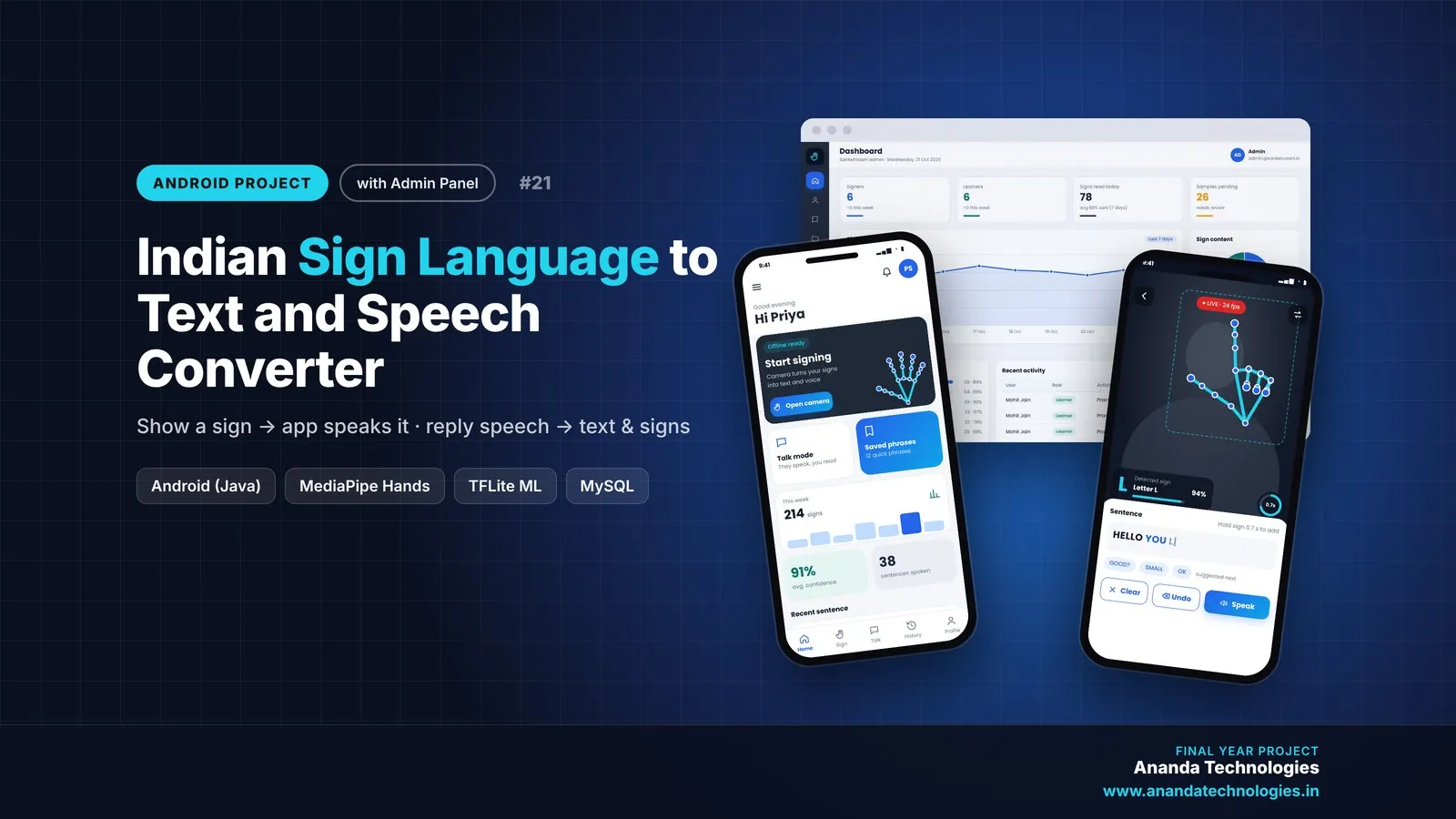
Indian Sign Language to Text and Speech Converter

Sign language to text and speech Android project for final year with full source code: the phone camera reads Indian Sign Language hand signs using MediaPipe hand landmarks and an on-device ML model, then speaks them aloud. Signers talk with hearing people through speech-to-text replies, learners practise signs with live scores and tests, and the admin manages signs and model updates from a web panel. Includes database, report, abstract and setup guide.

Project price₹8,000₹12,000View Project
AI & MLJava33% OFF

Diploma (Polytechnic), MCA, BE / B.Tech

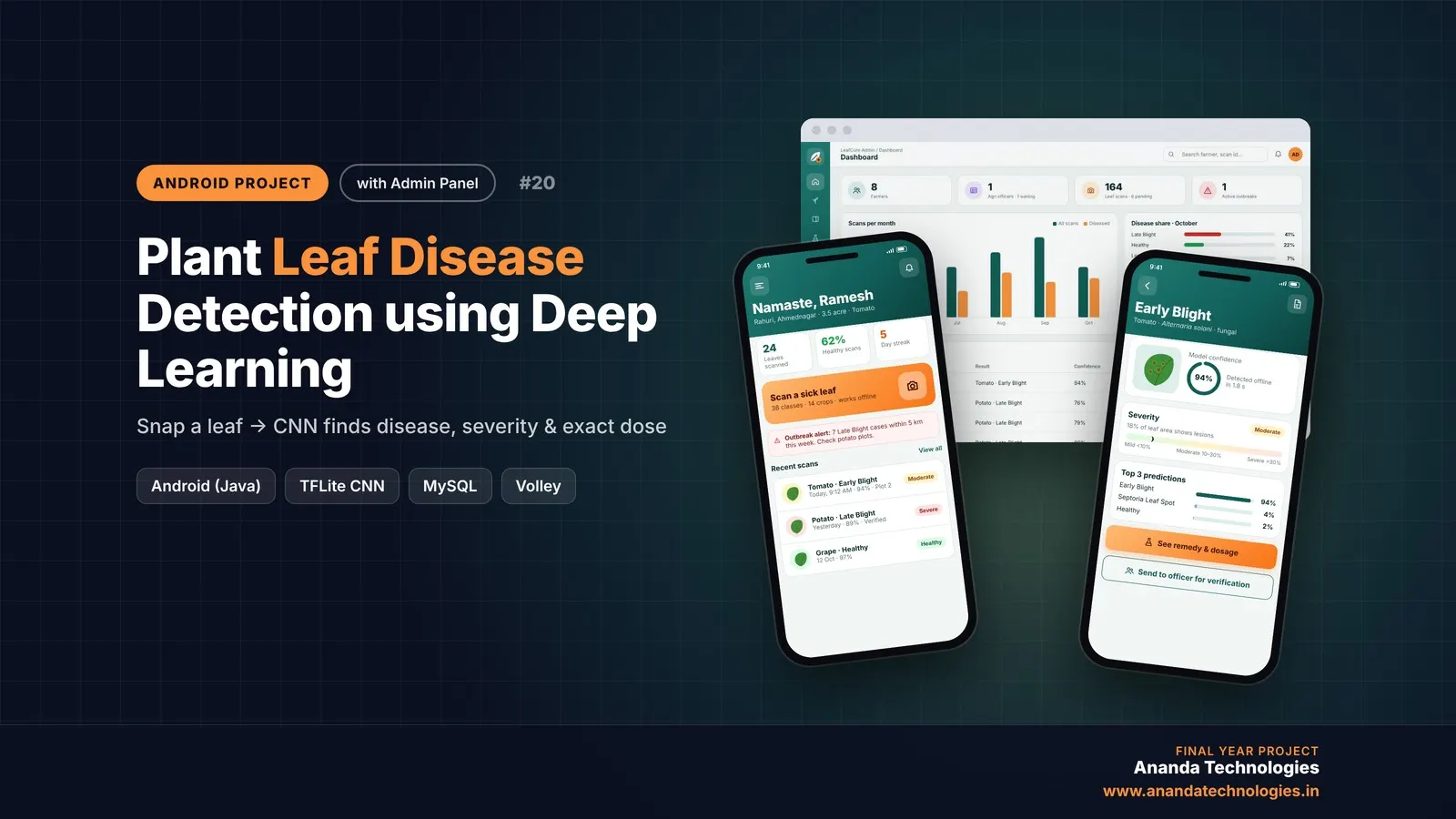
Plant Leaf Disease Detection using Deep Learning

LeafCure is a plant leaf disease detection Android project for final year students, with full source code. A farmer photographs a leaf and an on-device CNN (MobileNetV2, TensorFlow Lite) names the disease, measures its severity and calculates the exact remedy dose for the farm, while agriculture officers verify scans and get outbreak alerts on a disease map. Includes PHP admin panel, MySQL database, Colab training notebook, 50+ page report and setup guide.

Project price₹8,000₹12,000View Project
AI & MLJava33% OFF

Diploma (Polytechnic), MCA, BE / B.Tech

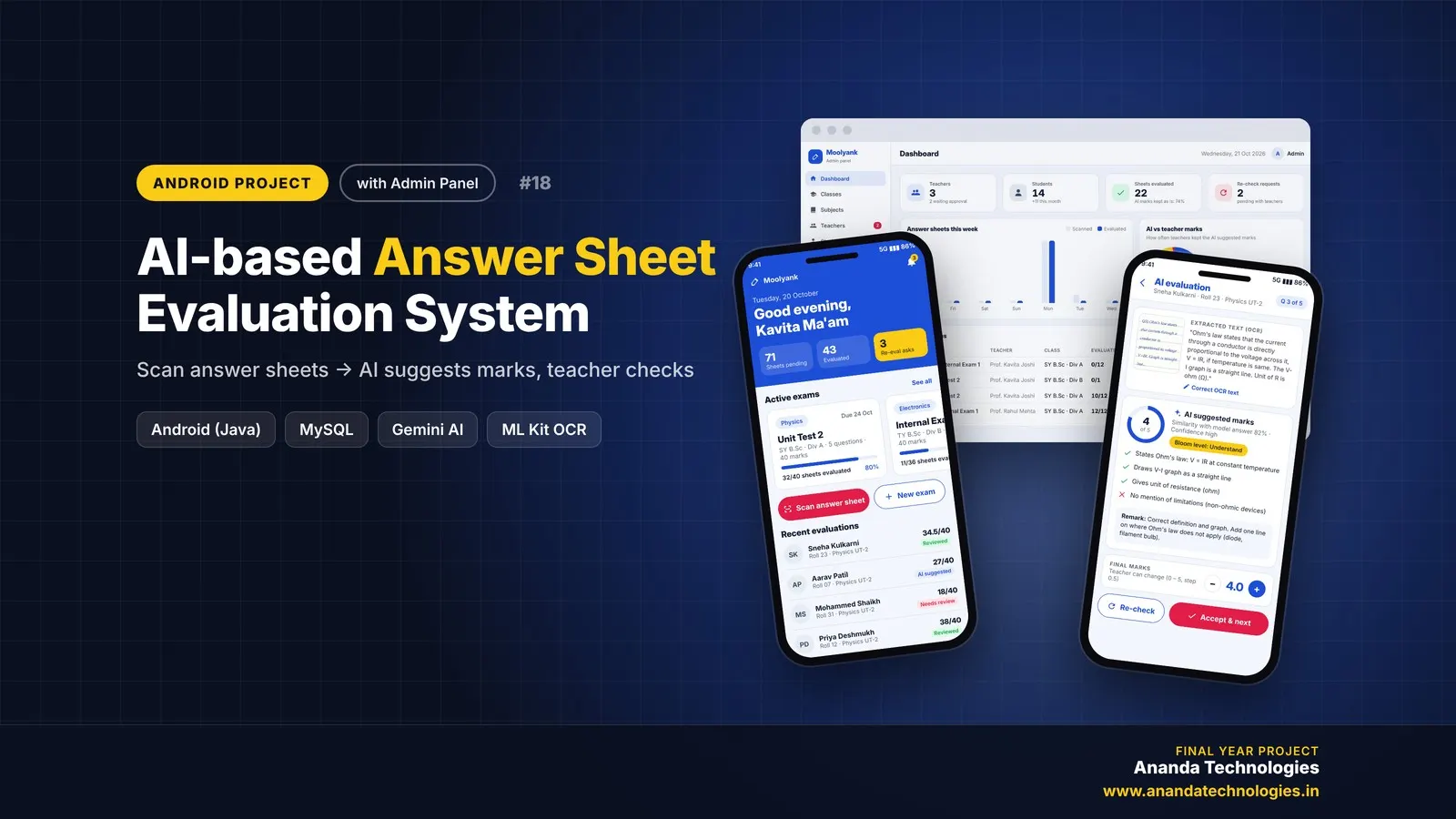
AI-based Answer Sheet Evaluation System

AI Answer Sheet Evaluation System (Moolyank) is a final year Android project with source code that checks handwritten answer sheets with AI. Teachers photograph each page, Gemini Vision reads the handwriting and the app suggests marks against the model answer and marking scheme, which the teacher reviews and publishes. It includes a PHP admin panel, MySQL database, a 49-page project report, abstract and setup guide.

Project price₹8,000₹12,000View Project

Get Face Recognition based Smart… for your submission

Leave your details and a counsellor will call to confirm your branch, any changes your guide needs, and how you want to pay.