Skip to content
  • AI & ML
  • Java
  • Android
  • 33% OFF

Driver Drowsiness Detection and Alert System

Driver Drowsiness Detection and Alert System (JaagRaho) is a final year Android project with source code that watches the driver's eyes, yawns and head nods through the phone's front camera and raises a loud alarm before the driver falls asleep. If the driver does not respond, an SOS with live location goes to the fleet owner or family. Includes the Android app, admin panel, MySQL database, 54-page report, abstract and setup guide.

ForDiplomaMCAB.Tech· CSE, IT

Platform
Android + Web API
1-on-1 setup
AnyDesk / Meet
Setup time
2 Hour
Download access
8 months
  • Source code
  • Project report
  • Setup guide

About this project

About the project

Long night drives make truck, bus and cab drivers sleepy, and a few seconds of closed eyes at highway speed can cause a serious accident. This driver drowsiness detection Android project turns an ordinary smartphone into an in-cab safety monitor. The phone is mounted on the dashboard, the front camera tracks the driver's face in real time, and the app warns the driver the moment signs of sleep appear. Fleet owners and family members get alerts and trip reports on their own phones.

How it works

  • Before driving, the driver takes a 60-second alertness self-test (blink check, reaction taps, sleep hours) and gets a fitness score with AI advice
  • The driver starts a trip; the app calibrates to the driver's eyes for 3 seconds
  • ML Kit Face Mesh reads 468 face points on every frame and calculates eye openness (EAR), mouth opening (MAR) and head nod
  • Eyes closed for about 1.5 seconds triggers a full-screen alarm with vibration and a countdown
  • If the driver does not tap "I'm Awake", an SOS with GPS location is sent to the owner/family (plus optional SMS to emergency contacts)
  • At the end of the trip the app gives a safety score, an alertness graph and an AI trip report with a PDF
  • Owners review trips, add remarks and download fleet reports

Users

  • Driver: alertness test, live monitoring, alarm, SOS, trip history, insights, badges, emergency contacts, vehicles
  • Fleet Owner / Family: live drivers, SOS and drowsy alerts with map, driver detail with AI risk summary, trip review, fleet PDF report
  • Admin (web panel): drivers, owners, vehicles, trips, SOS alerts, alertness tests, notices, reports, settings

Highlights

  • 3 roles, 26 Android screens, 12 admin pages, 35 APIs, 13 database tables
  • On-device ML (ML Kit Face Mesh) with EAR, MAR, head-nod and PERCLOS rules – no internet needed for detection
  • Gemini AI for test advice, trip report and weekly risk summary, with an offline fallback
  • Safety score and alertness score formulas explained in the report
  • Full validations on every form (email, 10-digit mobile, licence number, vehicle number, password rules)
  • Passwords hashed, prepared SQL statements, CSRF protection in the admin panel
  • Sample data and demo logins ready for the college demo

What you get

  • Complete Android Studio project (Java) and the admin panel source code
  • MySQL database file with sample data
  • Project report (Word, 54 pages) with all UML, DFD and ER diagrams
  • 2-page project abstract (Word + PDF)
  • Project explanation with 23 viva questions
  • Step-by-step setup guide (PDF) and README
  • Setup help on call / WhatsApp

Who can use this project

Final year students of BE / B.Tech, MCA, BCA, M.Tech and Diploma in Computer Engineering, IT, ENTC and Electrical branches. It is a good choice if you want an Android project with source code that has real machine learning, a live camera feature and a road-safety theme, with documentation and report included.

Frequently asked questions

Does the drowsiness detection need internet? No. Face detection and the drowsy rules run on the phone. Internet is needed only to sync with the server and for the optional Gemini AI reports.

Can I run it on the Android emulator? The screens open on the emulator, but drowsiness detection needs a real phone with a front camera.

Is a Gemini API key compulsory? No. Without a key the app writes an offline report automatically. A free key from Google AI Studio can be added in admin settings.

How do the fleet owner and the driver get connected? Each driver has a code like JR-D-1042. The owner or family member enters this code in the app to link the driver.

Who can take it

  • Diploma (Polytechnic) · best fit
  • MCA · best fit
  • BE / B.Tech · best fit

Branches: Computer Science & Engineering (CSE), Information Technology (IT)

We make it easy for you

  • 1-on-1 session on AnyDesk or Google Meet
  • We install the full project on your laptop
  • We explain the flow, modules and database for your viva
  • Report and step-by-step setup guide included
  • WhatsApp help whenever you get stuck

What you get

Everything unlocks in My projects right after payment.

  • Source codeComplete, working source code
  • Project reportEditable report / documentation
  • Setup guideStep-by-step installation guide

Included free with this project

1-on-1 setup session on AnyDesk or Google Meet

After you buy, we schedule a session at a time that suits you. Our developer installs the complete project on your own laptop, runs it with you and explains it — so you can present it with confidence.

  1. 1

    Pick a time

    We call or WhatsApp you to fix the slot

  2. 2

    We install it

    Full setup on your system over AnyDesk

  3. 3

    We explain it

    Flow, modules and database on Google Meet

Modules inside

18 working modules — each one is explained in the report.

  • Driver registration and login with role cards
  • Pre-drive alertness self-test (blink, reaction, sleep) with fitness score
  • AI advice before the trip (Gemini, with offline fallback)
  • Start trip with vehicle, route, sensitivity and break reminder
  • Live drowsiness monitoring with ML Kit Face Mesh (eyes, yawn, head nod)
  • Full-screen alarm with vibration and SOS countdown
  • SOS with GPS location to owner and family, optional SMS
  • Trip summary with safety score, alertness graph and AI report PDF
  • Trip history and trip detail with event timeline
  • Insights with daily alerts chart, risky hours and 12 badges
  • Emergency contacts and vehicle management
  • Fleet owner / family dashboard with live drivers
  • Link drivers by driver code
  • SOS and drowsy alerts with map, call and acknowledge
  • Driver detail with AI weekly risk summary
  • Trip review with decision and remark
  • Fleet report PDF (week / month / custom)
  • Admin panel: drivers, owners, vehicles, trips, alerts, tests, notices, reports, settings

Technology used

Built with
Android (Java) - Android StudioML Kit Face Mesh (on-device face landmarks)CameraXGoogle Play Services Location (GPS)VolleyPHP 8 (APIs + Admin Panel)MySQL (XAMPP / phpMyAdmin)Bootstrap 5Google Gemini API (optional AI reports)
Runs as
Android + Web API
Setup time
2 Hour with the guide
Documents
Project abstract (Word + PDF, 2 pages), Project report (Word, 54 pages), Project explanation with 23 viva questions (Word + PDF), Installation / setup guide (Word + PDF), Database SQL with sample data, UML, DFD and ER diagrams (16), App mockups and admin panel screenshots, README

How buying works

  1. 1

    Read the free abstract

    Sign in and download it (3 per day)

  2. 2

    Pay securely

    UPI, card or net banking

  3. 3

    Download instantly

    Source code and report in My projects for 8 months

  4. 4

    1-on-1 setup session

    We install it on your laptop and explain it

How to run it

An overview — the full guide comes with the project, and we help you if anything doesn’t start.

  1. 1Install XAMPP and start Apache and MySQL
  2. 2Copy Web_PHP\22-driver-drowsiness to C:\xampp\htdocs\academic-projects\22-driver-drowsiness
  3. 3Open phpMyAdmin and import Database\android_driver_drowsiness.sql
  4. 4Open http://localhost/academic-projects/22-driver-drowsiness/admin/ and login with admin@jaagraho.in / admin123
  5. 5(Optional) Paste a free Gemini API key in admin Settings
  6. 6Open Android_App\JaagRaho in Android Studio and let Gradle sync (internet needed once)
  7. 7If the popup "Gradle 8.9 is incompatible with JVM 25" appears, click "Use JVM 21"
  8. 8Run the app on a real phone, open Server settings on the login screen and enter your PC's IPv4 address (emulator: 10.0.2.2)
  9. 9Login with rakesh.patil@gmail.com / driver123 (driver) or mahesh.kulkarni@gmail.com / owner123 (owner)

Questions about Driver Drowsiness Detection and Alert…

What do I get when I buy Driver Drowsiness Detection and Alert…?

Complete source code, the database, project abstract (word + pdf, 2 pages), project report (word, 54 pages), project explanation with 23 viva questions (word + pdf) and help to run it on your laptop. Files unlock in your dashboard right after payment.

Can I see the abstract before buying?

Yes. Sign in and download the free abstract from this page, and check it with your guide first.

Will you help me run and explain the project?

Yes. After you buy, we schedule a 1-on-1 session on AnyDesk or Google Meet. Our developer installs the complete project on your own laptop, runs it with you and explains the flow, modules and database so you are ready for your viva.

Can the project be changed for my college?

Small changes such as adding a module or changing fields are possible. Tell us before you pay and we will confirm what we can do and the cost.

Which courses is Driver Drowsiness Detection and Alert… suitable for?

It suits Diploma (Polytechnic), MCA, BE / B.Tech students from Computer Science & Engineering (CSE) and Information Technology (IT).

Similar projects

All AI & ML projects →
AI & MLJava33% OFF

Diploma (Polytechnic), MCA, BE / B.Tech

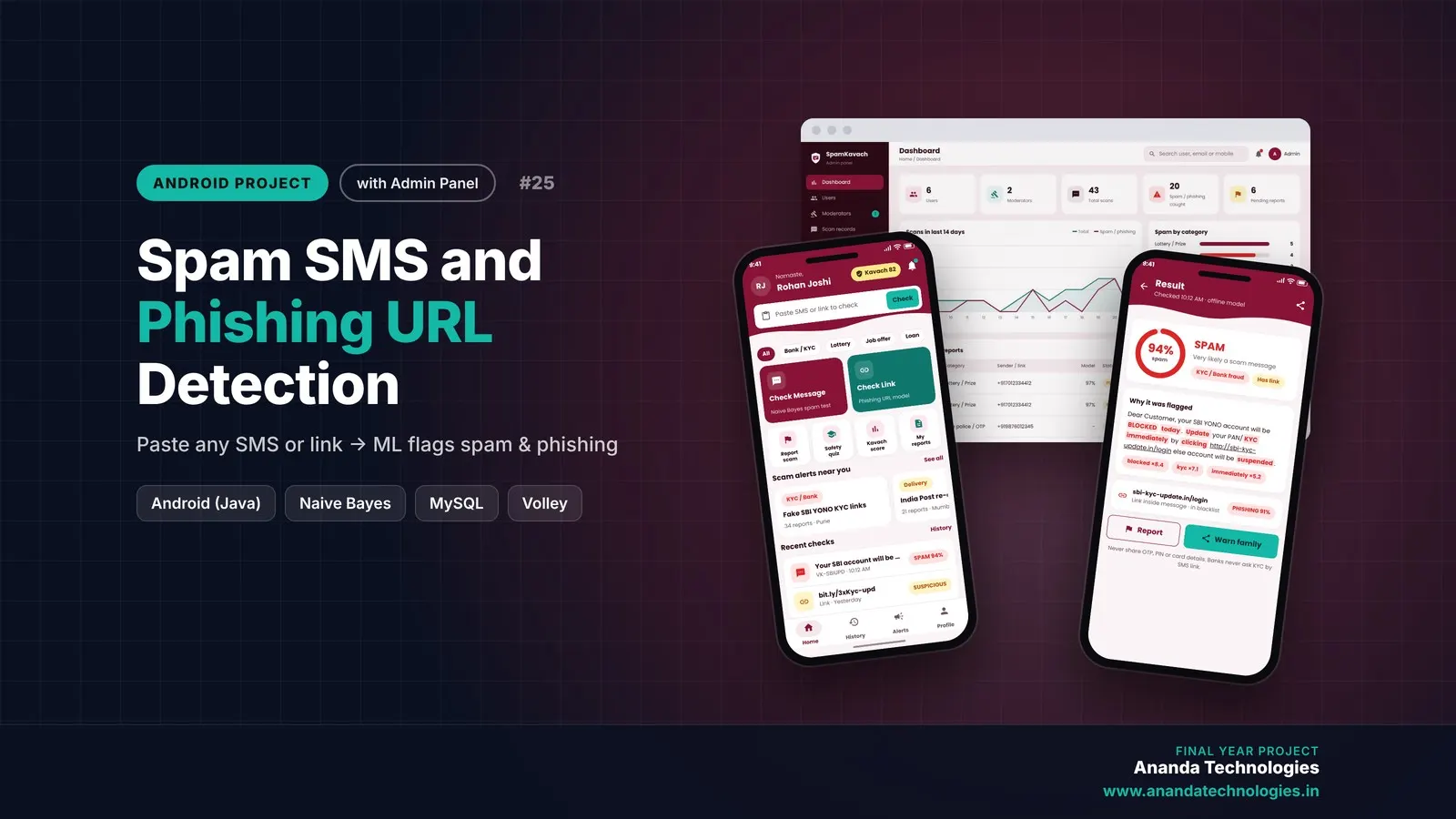
Spam SMS and Phishing URL Detection

Spam SMS and Phishing URL Detection is a final year Android project with source code that checks any SMS or link before you click it. An on-device Naive Bayes model flags spam messages and a URL feature model with a community blacklist catches phishing links, while moderators confirm user reports and the admin manages everything from a web panel. Complete source code, database, 55-page report, abstract and setup guide are included.

Project price₹8,000₹12,000View Project
AI & MLJava33% OFF

Diploma (Polytechnic), MCA, BE / B.Tech

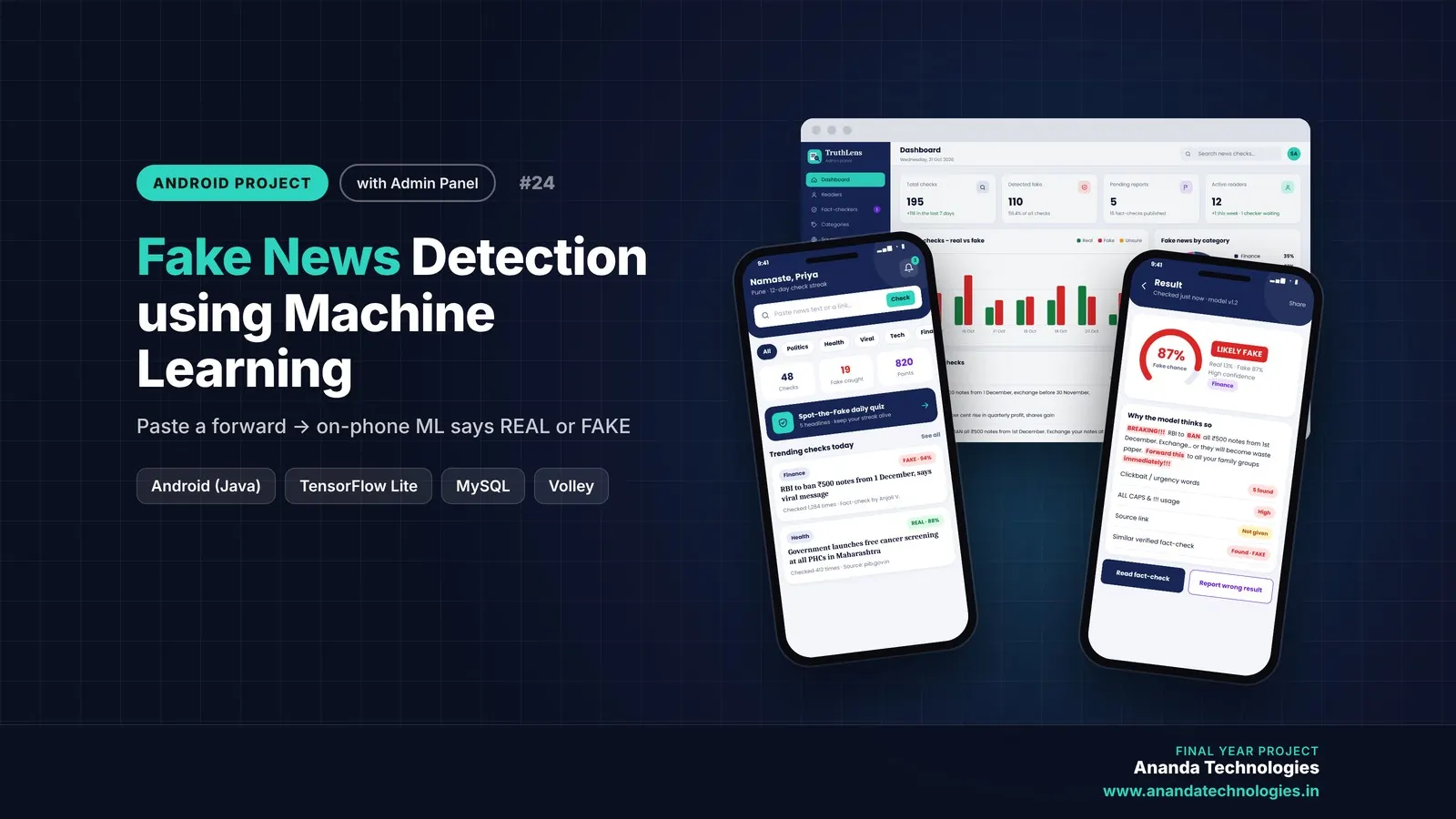
Fake News Detection using Machine Learning

Fake News Detection using Machine Learning is a final year Android project with source code that checks any WhatsApp forward or news link and shows REAL, FAKE or UNSURE using a TensorFlow Lite model that runs on the phone. Readers check news and report wrong results, fact-checkers give the final verdict, and the admin manages everything from a web panel. Includes database, 54-page report, abstract, viva questions and setup guide.

Project price₹8,000₹12,000View Project
AI & MLJava33% OFF

Diploma (Polytechnic), MCA, BE / B.Tech

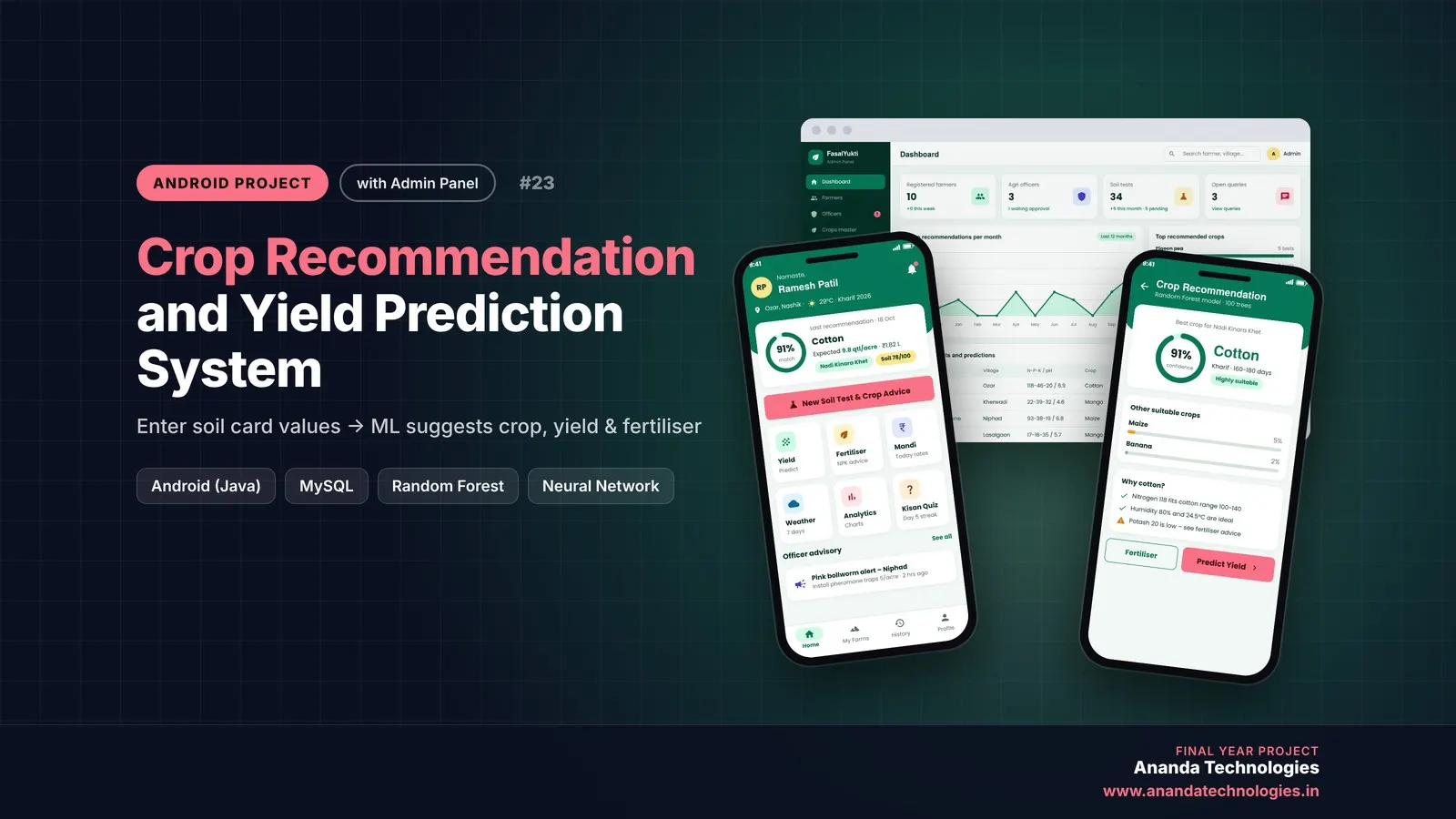
Crop Recommendation and Yield Prediction System

Crop Recommendation and Yield Prediction System is a final year Android project with source code that tells a farmer the best crop for his soil, the expected yield and income, and exactly how much fertiliser to buy. A Random Forest and a neural network run inside the app, agriculture officers verify soil tests and answer questions, and the admin manages everything from a web panel. Includes database, 50-page report, abstract and setup guide.

Project price₹8,000₹12,000View Project

Get Driver Drowsiness Detection and Alert… for your submission

Leave your details and a counsellor will call to confirm your branch, any changes your guide needs, and how you want to pay.